
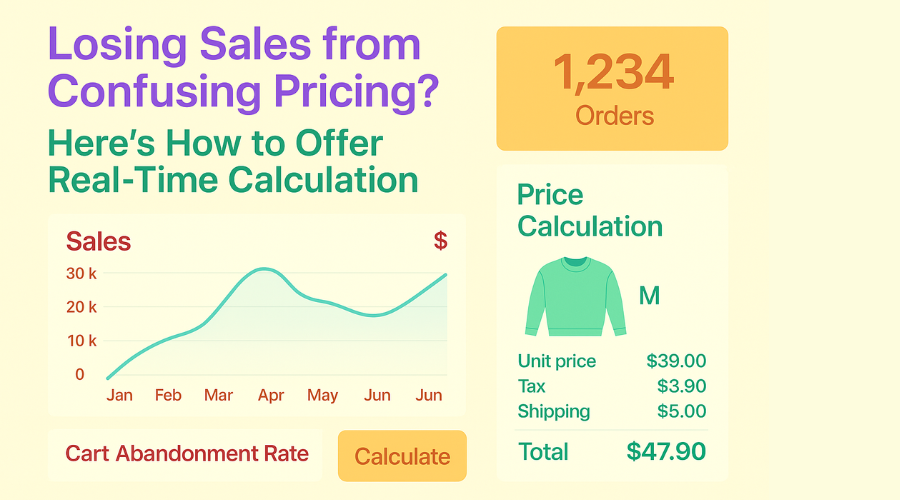
You’ve crafted the perfect product. Your WooCommerce store looks professional. Your images are sharp, and your descriptions are clear. But customers are still bouncing away before they click “Buy.”
Often, what drives people away from an online store isn’t complex. It’s simply the lack of clear pricing.
Picture someone browsing for made-to-order blinds, floor tiles, or a personalized gift. They land on the product page curious and ready to explore. After some time, buyers close the tab, unsure, irritated, and without making a purchase. Why? Because they couldn’t get how much it would cost.
In modern eCommerce, where users expect answers instantly, providing straightforward pricing isn’t just helpful, it’s a must. And that’s where the idea of real-time price calculation steps in.
Let’s break down why traditional pricing isn’t working, what a modern WooCommerce price calculator can do, and how it solves a quiet but costly problem many online stores face.
The Hidden Cost of Confusing Pricing
Shoppers expect clarity. If they can’t quickly figure out how much they’ll pay and why. They often abandon the purchase altogether.
According to the Baymard Institute, unexpected costs are the number one reason for cart abandonment, affecting over 50% of lost checkouts. That’s a staggering number.
But it’s not always about surprise shipping fees. Sometimes, the product price itself isn’t obvious. A customer wants to buy fabric by the yard, flooring by square foot, or candles in bulk. But has to calculate it manually. If the page says “Price per unit,” but doesn’t help them understand the total cost for their quantity or measurement, confusion kicks in.
And here’s what happens next:
- They open the calculator app on their phone
- They start guessing dimensions or units
- They hesitate
- They leave
The store loses a potential sale, not because of product quality, but because of poor pricing communication.
Why Traditional Pricing Models Don’t Work Anymore
Most online stores still rely on static pricing: one fixed cost per product, maybe with a variation or two. This worked fine when most products were standard sizes or quantities.
But that’s no longer the case.
Shoppers now expect the ability to customize what they’re buying. They want to order:
- 3.6 meters of fabric
- 17.2 square feet of vinyl tiles
- A name engraved on a gift box
- A product with multiple custom add-ons
And static pricing can’t keep up.
Letting users guess prices or submit forms for a quote introduces friction. Something shoppers hate. If they can’t see the final price instantly, many will bounce to a competitor who can offer that clarity upfront.
In short, if your product can’t be priced simply in one number, you need to rethink how that price is calculated and displayed.
What is a WooCommerce Price Calculator?
A WooCommerce price calculator is a dynamic tool that adjusts pricing in real-time based on user inputs. It removes guesswork by letting customers:
- Enter dimensions, quantities, or values
- See the calculated price instantly
- Understand what they’re paying for
Common Scenarios Where Dynamic Pricing Solves Real Problems
1. Custom Size Products
If you sell anything that depends on dimensions like blinds, banners, fabrics, tiles, or panels then you know each customer needs a different price.
Using a calculator allows customers to:
- Enter length and width
- See a total price that’s adjusted by area or length
- Avoid calling or emailing just to get a quote
No one wants to contact support to ask, “How much will 2.4 meters cost?”
2. Bulk or Wholesale Orders
When products are sold in large volumes, pricing often depends on quantity tiers. A live calculator can:
- Automatically adjust pricing as customers increase quantity
- Show savings for bulk orders
- Encourage larger purchases through visible cost-per-unit reduction
This turns what used to be backend logic into customer-facing clarity.
3. Product Customization
Personalized products may have add-ons:
- Gift wrapping
- Logo engraving
- Extended warranties
- Special finishes
Each option might affect price differently. Instead of confusing customers with dozens of variations or drop-downs, a calculator presents an easy interface where the total updates in real-time as options are selected.
4. Measurement-Based Pricing
You may sell materials by volume, area, or weight:
- Soil by cubic meter
- Paint by liter
- Tiles by square foot
A good pricing calculator handles unit conversions, price per measurement, and instant updates.
No more manually figuring out how many liters are in two gallons or how much flooring covers 37 square feet. The price just appears correctly.
How Real-Time Calculations Build Trust and Increase Conversions
Customers don’t like to guess. They want pricing to be:
- Clear
- Fair
- Immediate
By showing the total price instantly, a real-time calculator:
- Removes hesitation: Customers feel confident clicking “Add to Cart.”
- Builds trust: No hidden surprises at checkout.
- Encourages experimentation: Users can change sizes, quantities, or options to explore different price scenarios without leaving the page.
This interaction turns static pages into dynamic shopping experiences. Instead of bouncing away, customers stay longer and buy more.
Also, when customers feel in control, they’re less likely to contact support with questions. That saves your team time and reduces response fatigue.
Best Practices for Using Real-Time Price Calculators
Using a WooCommerce price calculator isn’t just about the math. It’s about making pricing feel simple.
Here are a few best practices to follow:
Keep the Interface Clean
- Don’t overload the product page with too many input fields.
- Use labels that are easy to understand: “Length (in meters)” not “L x W”
- Group related options together
Show Calculations Instantly
- Price should update immediately as users input values.
- No extra “Update Price” buttons.
- This gives immediate feedback and reduces confusion.
Use Smart Defaults
- Pre-fill fields with common sizes or quantities.
- Suggest recommended options for faster decisions.
Make It Mobile-Friendly
- Touch input should be smooth
- Fields should be readable without zooming
- Price updates must be visible without scrolling
Mistakes to Avoid When Offering Real-Time Calculations
Not every pricing calculator is helpful. In fact, some can make things worse.
Avoid these common mistakes:
Overcomplicating the Form
- Too many required fields confuse users.
- Ask only for what’s necessary to generate a price.
Ignoring Edge Cases
- What if a user enters 0.1 meters? Or 1,000 units?
- Always test for minimum and maximum values.
Skipping Mobile Testing
- A form that works on desktop but breaks on mobile ruins the experience.
Forgetting to Explain Units
- Always clarify whether input is in inches, feet, meters, or liters.
Why Clarity in Pricing is More Important Than Ever
People aren’t just shopping on your site. They’re comparing options. In a few seconds, they can bounce to another store if something doesn’t make sense.
If your pricing feels confusing, uncertain, or incomplete, customers won’t ask questions. They’ll just leave.
On the flip side, if your store communicates pricing clearly through real-time calculations, you win their confidence. And confidence turns into conversions.
Final Thoughts: Make Pricing Your Store’s Strength
If your WooCommerce store sells products that depend on size, weight, customization, or quantity, real-time price calculation is no longer optional.
It’s a way to:
- Simplify the buying experience
- Build customer trust
- Reduce support requests
- Increase conversions
A WooCommerce price calculator takes the burden off the customer and puts clarity front and center. It says, “We know what you need and here’s exactly what it costs.”
In the end, your pricing should help people make decisions, not create hesitation.
Reflect Before You Go
Ask yourself:
- Is my pricing helping or hurting my sales?
- Do customers ever message me asking, “How much will it cost for my order?”
- Is my product page doing all the explaining, or am I making users figure it out?
If your answer shows there’s room for improvement, then it might be time to rethink how you present your pricing. Not with gimmicks or guesswork but with real-time clarity your customers can trust.