
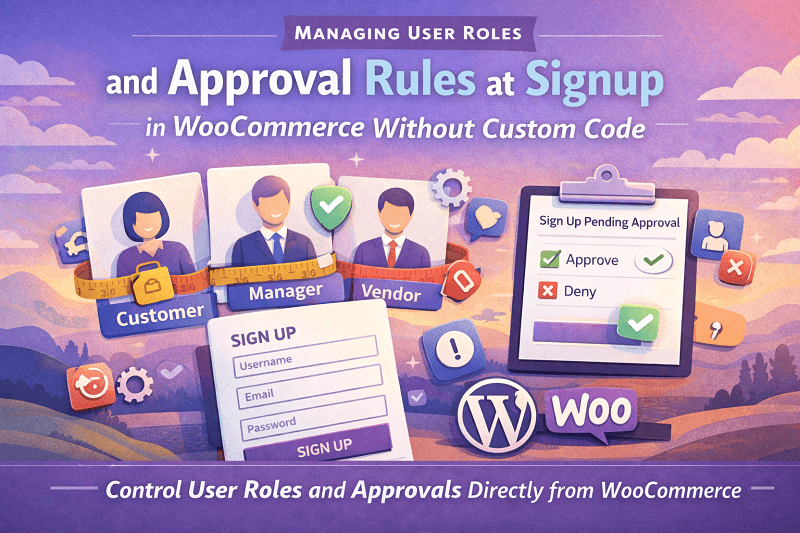
There is a quiet moment in every WooCommerce store when a new user signs up, and something important happens behind the scenes. A role gets assigned. Permissions are decided. Access is either open or restricted. Most store owners do not think too deeply about this part at first, and that is fair because WooCommerce keeps it simple by default.
Everyone signs up and becomes a customer, and moves on. But once a store grows and starts dealing with wholesalers, vendors, service providers, or region specific buyers, this simple flow starts feeling too loose and a bit risky.
That is where custom user registration fields for WooCommerce start making real sense. Not in a flashy way. More like a calm, structured way where you finally decide who gets what access and when. And you do it without touching code files or asking a developer for every small rule change. A solid WooCommerce registration plugin changes how signup feels both for you and the person filling the form.
Why User Role Control at Signup Actually Matters
User roles are not just labels. In WooCommerce, they decide what a user can see, edit, purchase, or access. A wholesale buyer probably should not browse the same way a regular customer does. A vendor might need dashboard access while a normal shopper does not. If everyone lands in the same role at signup, you are left manually fixing accounts later, which sounds manageable until you hit fifty or a hundred signups a week.
Custom user registration fields for WooCommerce allow you to collect information at the very first step. Things like business type, tax ID, intended purchase volume, or even a simple dropdown asking what kind of account they want. This data then becomes the base for assigning roles logically. No guessing later. No awkward emails asking users to clarify who they are.
And yes, you can still approve them manually if you want to pause access until you review things. That balance between automation and control is where a WooCommerce registration plugin really earns its place.
Setting Up Role Based Signup Without Custom Code
This is usually the point where people assume custom development is required. It really is not. A well built WooCommerce registration plugin gives you an interface where you define fields, choose field types, and map responses to roles. You are not writing logic. You are selecting rules.
For example, you can add a field asking if the user is signing up as a retailer or wholesaler. Based on that choice, the plugin assigns a corresponding role. If the wholesaler role needs approval before activation, you can set that rule too. The user completes the signup, but cannot log in fully until approved. It feels structured, not restrictive.
The setup itself follows a predictable path. Install the plugin, activate it, then navigate to the registration fields section inside WooCommerce settings. From there, you add fields one by one. Text fields, dropdowns, checkboxes, and file uploads, if needed. Each field has options for visibility requirements and role mapping. It takes some clicking and testing, but nothing that feels technical.
What matters is testing with dummy accounts. Try different selections. See how roles change. See what happens before and after approval. That hands on testing helps you trust the flow before it goes live.
Managing Approval Rules Without Making Users Feel Blocked
Approval rules sound harsh, but they do not have to feel that way to the user. With custom user registration fields for WooCommerce, you can control messaging as well. Instead of a cold access denied screen, the user sees a message explaining that their account is under review. That small detail changes the entire tone.
Approval can be set globally or based on role. Maybe regular customers get instant access, but wholesale applicants need a review. Maybe certain regions need manual checks. You decide. The WooCommerce registration plugin handles the state changes quietly in the background.
From the admin side, you see pending users clearly. You approve, reject, or even change their role if needed. No database edits. No awkward workarounds. Just a clean queue of signups waiting for action. It is surprisingly calming once you have it in place.
And yes, email notifications can be part of this flow. Users get notified when approved. Admins get notified when a new signup needs review. It keeps things moving without constant dashboard checking.
Using Registration Fields to Collect the Right Details
Roles and approvals work best when you ask the right questions upfront. This is where custom user registration fields for WooCommerce really stretches its usefulness. You are not limited to name and email. You can ask for the company name, VAT number, resale certificate, or anything else relevant to how you run your store.
Each field can be required or optional. You can show or hide fields based on earlier answers. That conditional behavior keeps the form from feeling bloated. A retail customer sees fewer fields. A wholesale applicant sees more. Everyone feels like the form was made for them.
This data is stored with the user profile, so you are not chasing emails later. It also becomes useful long term. You might filter users by role, export data, or just quickly understand who someone is when they contact support. The WooCommerce registration plugin quietly becomes part of your daily workflow.
Avoiding Common Mistakes When Configuring Signup Rules
One common mistake is creating too many roles too quickly. It feels organized at first, but it becomes confusing later. Start with a small set of roles and expand only when needed. Another issue is making too many fields mandatory. Long forms scare people. Ask only what you truly need at signup.
Also, make sure your approval rules are communicated clearly. A short message explaining the next steps reduces confusion and support tickets. Test signup on mobile too. Fields that look fine on desktop can feel heavy on smaller screens.
Lastly, review permissions for each role. Assigning a role is only useful if that role is configured properly inside WooCommerce. Spend time there. It pays off later.
Why Plugins Beat Custom Code for This Use Case
Custom code sounds powerful, but it is rigid. Once written, it rarely adapts well to change. A WooCommerce registration plugin gives you flexibility. You can add, remove, or adjust fields without fear. Updates do not break your logic. And support exists if something feels unclear.
For store owners who want control but not complexity, this matters. Custom user registration fields for WooCommerce give you ownership over the signup process without locking you into technical debt. That alone is a strong reason to choose a plugin approach.
And if your store evolves, which it will, you can evolve the signup flow alongside it. New roles, new approval rules, new questions. All without rewriting anything.
Final Thoughts on Structured Signup Experiences
Managing roles and approvals at signup is not about control for the sake of it. It is about clarity. For you and for your users. When the right people get the right access from day one, everything else runs smoothly.
A thoughtful setup using custom user registration fields for WooCommerce, supported by a reliable WooCommerce registration plugin gives you that clarity. It turns signup into a useful data collection point rather than a forgotten step. And once it is live, you will probably wonder why you waited so long to do it.
It is one of those quiet improvements that does not shout but changes everything behind the scenes.