
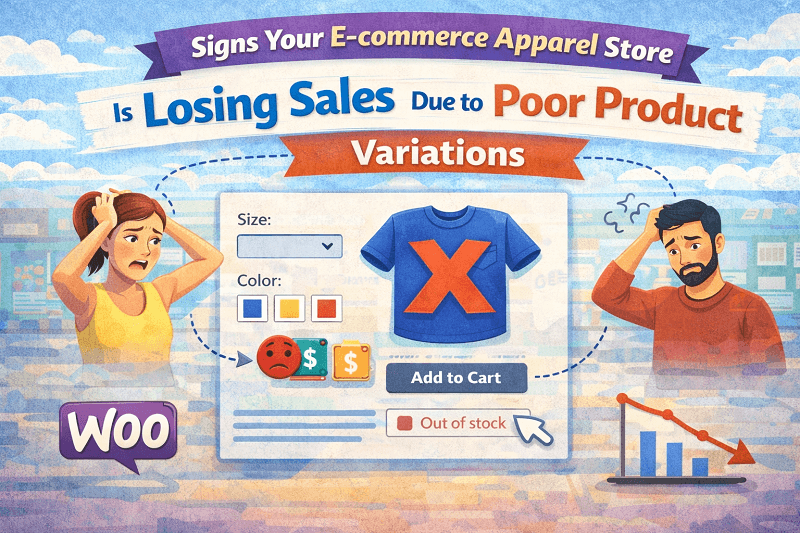
Choosing clothes online should feel simple. Pick a color, pick a size, add to cart, done. Yet many apparel stores quietly lose sales right at this step. Not because prices are wrong or photos are bad, but because product variations are confusing, tiring, or just hard to use. Customers hesitate they scroll back and forth, and leave. It happens more than most store owners realize.
This guide walks through the real signs your apparel store is losing sales because of how variations are shown. And yes, there is a practical fix that does not involve touching code or redesigning the whole store. We will talk openly about where things break and why variation swatches for WooCommerce often end up being the missing piece, even if store owners do not notice it at first.
Customers Pause Too Long Before Choosing a Product Option
One of the clearest signs that something is wrong is hesitation. You see it in session recordings or heatmaps, or even just by watching someone shop on your site. They land on a product page. They scroll. They click a dropdown. They stop.
Dropdown menus for size and color look harmless, but in apparel, they create friction. A customer wants to see red medium instantly, not read through text options. When they must open a dropdown, read labels, and then remember what they picked, it slows the flow. Slow moments online usually turn into exits.
Variation swatches for WooCommerce change that behavior. Colors appear as color boxes. Sizes appear as clickable buttons. There is no thinking required. Customers react instead of analyzing. That difference matters more than most people expect.
High Product Page Views With Low Add to Cart Rates
If your analytics show strong traffic on product pages, but add to cart actions stay low, that is not always about pricing or trust. Apparel shoppers often abandon when they cannot confidently select the right option.
This usually happens when variations feel disconnected from the product images. A customer clicks blue, but the image does not change. Or they pick large, but are unsure if it is in stock. Or worse, they select an option that later shows as unavailable.
WooCommerce variation swatches fix this visually. When a swatch is unavailable, it appears disabled. When an option is selected, the image can update. This removes doubt. WooCommerce variation swatches turn selection into confirmation instead of guesswork.
Frequent Cart Changes and Backtracking
Another quiet signal is constant cart editing. Customers add a product, then remove it, then add it again with a different option. This behavior usually means the variation experience is unclear.
Apparel buyers want reassurance. They want to know what they picked without reopening dropdowns. When selections are visible as swatches, the chosen option stays clear. A blue circle stays blue. A size button stays highlighted. That visual memory reduces second-guessing.
This is one reason variation swatches for WooCommerce are popular in clothing stores. They make decisions feel final in a good way. People stop revisiting the same choice again and again.
Mobile Users Drop Off Faster Than Desktop Users
Mobile traffic dominates apparel ecommerce. Yet dropdowns are worse on small screens. They hide content. They require precise taps. They break momentum.
If your mobile bounce rate is high on product pages, this is often a variation issue. Small screens need visual choices, not text lists. Swatches are tap-friendly and immediate.
WooCommerce variation swatches are built for touch interaction. They feel natural on phones. This alone can lift mobile conversions without changing anything else on the page.
Customers Ask Basic Questions You Already Answered
Support tickets often reveal what analytics cannot. If shoppers ask things like which color is available, how many sizes exist, or why one option looks different, it usually means your variation display is failing.
When options are visual, most of these questions disappear. Customers see availability. They see choices. They trust what they see.
Variation swatches for WooCommerce reduce pre-purchase confusion. That lowers support load and improves confidence at the same time.
Your Product Photos Feel Underused
Apparel stores invest heavily in photography. Yet many stores show all images regardless of selection. A customer picks green but still sees black images. That disconnect breaks trust.
Swatches allow images to respond to choices. When someone clicks a color, the gallery updates. Suddenly, photos feel relevant again.
This connection between swatches and images is one reason WooCommerce variation swatches work so well for apparel. They let photos do their job properly.
Size Selection Feels Like a Risk
Sizing is already stressful online. When size options are hidden inside dropdowns, the stress increases. Shoppers fear choosing wrong.
Button-style swatches make size selection clearer. They feel more deliberate. A large button says this is what you chose. It sounds small, but psychologically it matters.
Variation swatches for WooCommerce make size selection feel intentional, not accidental.
Seasonal Collections Become Hard to Browse
When you launch seasonal apparel collections, colors and styles multiply. Dropdowns grow longer. Pages feel heavier.
Swatches scale better. Ten colors still look manageable. Ten sizes still look organized. Visual layout keeps things readable.
WooCommerce variation swatches help maintain clarity even when catalogs grow.
Shoppers Compare Products Instead of Buying One
If customers open multiple tabs of similar products, it can signal uncertainty. Often, they are comparing variations mentally.
Clear swatches reduce comparison fatigue. When options are obvious, customers commit faster.
Variation swatches for WooCommerce reduce the mental load of choosing apparel online.
You Rely on Filters Too Much
Filters help, but they should not replace product pages. If customers depend on filters to understand variations, something is off.
Swatches keep variation understanding inside the product page where it belongs.
Why Apparel Stores Outgrow Default Variation Displays
WooCommerce defaults work for simple products. Apparel is not simple. Colors styles, fits, and materials all matter.
At some point, growing stores hit a wall. Dropdowns that once worked start hurting performance.
This is where WooCommerce variation swatches quietly become necessary. Not as a gimmick but as a usability upgrade.
How Variation Swatches Solve These Issues Without Overcomplicating Things
The appeal of variation swatches for WooCommerce is that they do not change your product structure. They only change how choices appear.
You still use WooCommerce variations. You still manage stock the same way. The experience improves without technical complexity.
This balance is why many apparel stores adopt WooCommerce variation swatches after noticing the signs discussed above.
When Store Owners Realize the Impact
Most store owners notice changes indirectly. Fewer abandoned carts. Less hesitation. Better mobile engagement.
Rarely does someone say swatches changed everything overnight. Instead, things feel smoother. That is usually the best signal that the fix was right.
Variation swatches for WooCommerce remove friction quietly. They do not shout. They just work.
Final Thoughts on Fixing Poor Product Variations
Poor variation display rarely looks broken. It looks normal. That is why it is dangerous. Sales leak out slowly.
If your apparel store shows any of these signs, it is worth rethinking how choices are presented. Not redesigning everything. Just making selections visually clear and responsive.
WooCommerce variation swatches help apparel stores sell the way customers already expect to buy. And once expectations are met, hesitation fades.
Sometimes fixing sales loss is not about traffic or ads. It is about making the obvious easier to choose.