
“Near Me” Searches – What is It?
If you know about digital marketing and SEO, you’re already aware of how powerful local SEO can be for businesses. Another chapter of local SEO optimization that has gained traction of late has been “near me” searches.
To simplify this quite a bit, these “near me” searches occur when Google search lists the top 3 businesses that are most related to the user’s search query based on several key factors.
These factors include location, relevance of search query, and time of day. It goes without saying that featuring in these near me searches can considerably improve traffic to your business!
That said, let us take a look on how you can optimize your website to appear on this type of search query.
9 Ways to Optimize Your Website for “Near Me” Searches
1. Optimize Your Google Business Profile (GMB)
The first and most important part of the process is undoubtedly your GMB listing. GMB is a crucial part of any business’s digital footprint.
It has all the details of your business, and along with tight integration with other Google services like Maps, can help customers discover and navigate to your store.
In addition to this, it also has other important aspects like images, reviews, a website, and social media handles.
It is vital that you claim and verify your GMB listing so you can add relevant details of your business. These include products and services with proper descriptions for each.
If you’re creating a new GMB listing, choose the proper business category and sub-category. Don’t forget to add in working hours and special hours, along with holidays.
Finally, you can enable ‘Q and A’ features and messaging so people can get in touch with you and understand more about your business.
Ensure that you respond to reviews professionally – retaliating in a harsh manner can be detrimental to your company’s image.
2. Improve Website Loading Speed
If there were a list of factors to optimize for websites, loading speed would be quite close to the top. Website loading speed has been a prime SEO metric for many years, and for “near me” searches, it has become even more important.
In addition to websites being ranked higher for quicker loading speeds, it also improves user experience and conversion rates.
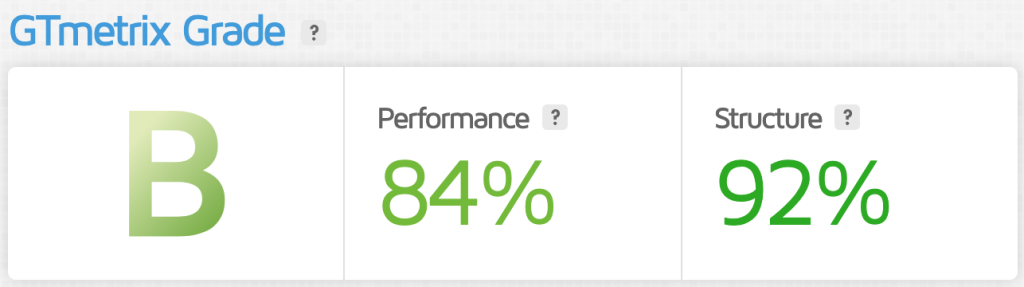
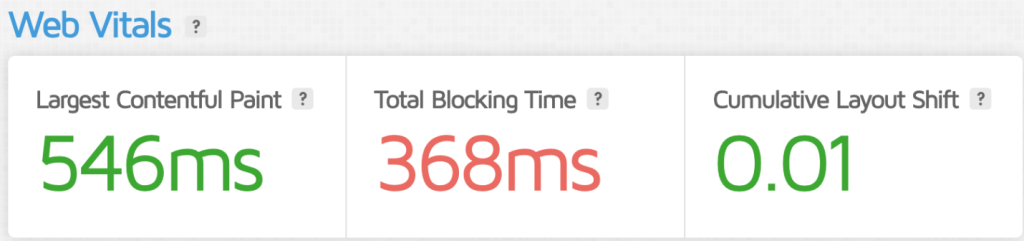
In fact, slow-loading websites lead to high bounce rates, which can affect local reach and visibility and lower engagement.
If you don’t know where to begin when it comes to optimizing your website for speed, images are a good place to start. Ensure that all your website images are compressed without a huge drop in quality.
A good idea is to opt for content distribution networks, which can accelerate website loading speed for data-heavy assets like images and video. Off-screen images can be lazy loaded to reduce lag.
Minimize HTTP requests to make your website more responsive and improve user experience. Test your website’s loading speed through Google PageSpeed Insights.
3. Ensure Consistent NAP Details
The one thing that even experienced marketers and large businesses sometimes overlook is ensuring consistent details across all their listings.
When discussing your GMB listing and website, the accuracy of your business’s Name, Address, and Phone is non-negotiable. It should match across all mediums and search engines like website header/footer, GMB, Google, Bing, and local directories.
Minimize abbreviations in NAP details as they can be misinterpreted by people and can also lead to inconsistencies. Ensure that you have a system that can update and sync all occurrences of NAP across all entries.
Periodically check your details across listings for duplicate or outdated entries. This is especially important when you have a lot of local citations. A good idea to ensure consistency is to use schema markup.
Google’s Structured Data Markup Helper tool can help you create a schema code that you can use for your NAP schema. Integrating this into your website through the head HTML tag lowers the chances of inaccuracy.
4. Use Local Keywords Strategically
A huge factor that influences “near me” search occurrences is local keywords. While this is not surprising, many businesses commit the error of over-optimizing their content, leading to not-so-favorable results.
The key to using local keywords is to use them sparingly and strategically. Targeting frequently occurring long-tail local search queries is a great place to start.
Ensure that your website page titles and descriptions are adequately optimized to reflect their local content and relevance.
Location-based keywords should flow naturally in the article and shouldn’t look like it was shoehorned into it for search rankings.
Adding content that aligns with local landmarks and holidays is a great way to get people more interested in your content. Continuously track keyword rankings for local terms when creating content for both your website and social media handle.
5. Ensure Your Website is Mobile-Friendly
Similar to website loading speed, the mobile friendliness of a website is an important metric when deciding search rankings and local relevance.
The first thing you should do (if you haven’t done already) is to implement responsive design into your website. Responsive design ensures that the content of the website remains the same regardless of different screen sizes.
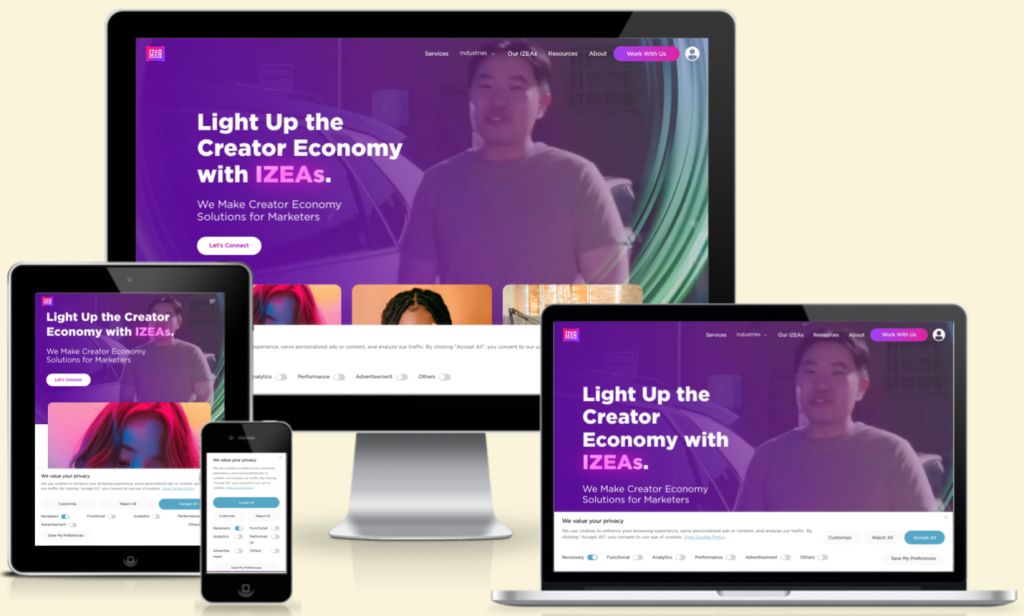
Have a separate mobile version of your website that your customers can access on their mobile devices. Consider using buttons on this version for touch navigation.
Avoid intrusive pop-ups on your website because that can be really off-putting for your potential customers. Everything on the mobile version of the website should be clearly readable without zooming.
6. Incentivize Customers to Leave Reviews
The first place most customers look when browsing through searches for businesses is their reviews. In fact, positive reviews can have a huge impact on their purchase decision. It acts as social proof, showing how a company handles its business and issues from its customers.
Reviews build strong trust and credibility for a business, which are invaluable when it comes to local searches.
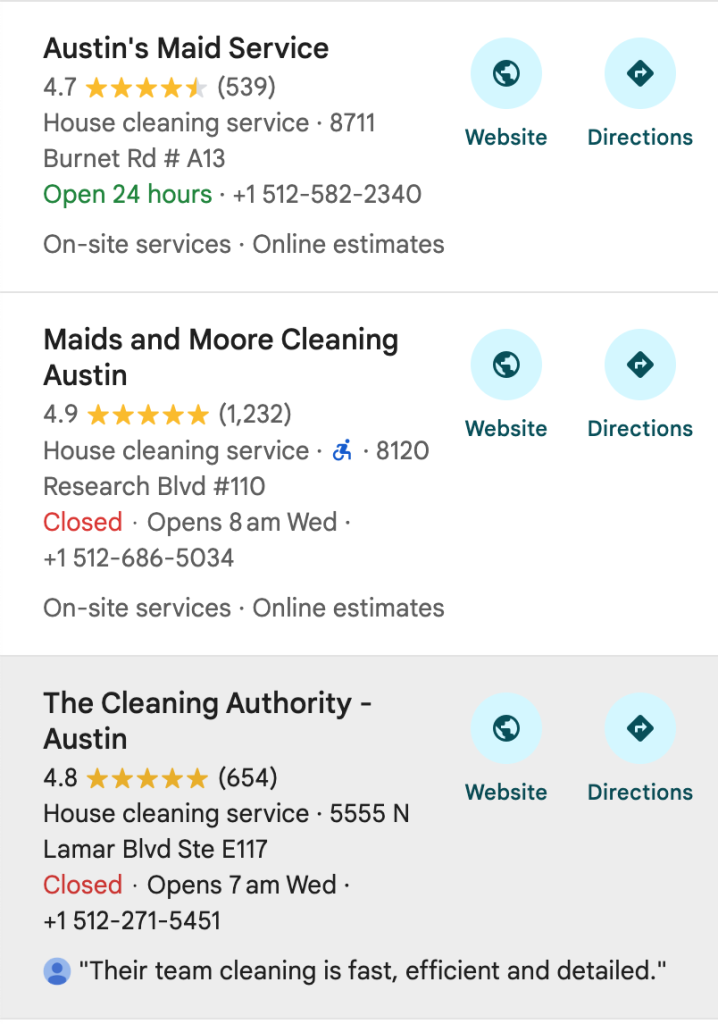
Don’t shy away from asking for reviews of your business from your customers. This could be either through emails or SMS sent after their purchase.
Incentivize their reviews through discounts and make it easy for them to review your business with direct links. Showcasing the best reviews on your website could add a layer of credibility that can positively influence people into becoming customers.
7. Create Landing Pages for Specific Geo-Locations
Landing pages are instrumental when it comes to funneling traffic into your website. Having a dedicated landing page for each location and service can greatly influence local searches, more specifically, “near me” search queries.
Add local testimonials and case studies that are relevant to a particular location.
Ensure that you also include location-specific images and videos, including popular landmarks and neighborhoods.
Including CTAs that have City or Area in them is a great idea for search engines as well as people. These landing pages should also be internally linked to other pages so users can navigate easily.
Don’t make the mistake of using generic content for all pages with just the keywords changed. There are chances of your pages being penalized for duplicate content.
8. Leverage Social Media for Local Engagement
Social media presence plays an important part in the local ranking process. Since most social media platforms offer localized content, adding local-flavored posts can have a telling effect on your rankings.
Most popular social media platforms like Instagram, Facebook, X (formerly Twitter), and LinkedIn have features that allow you to post location-specific content.
Regularly update your social media feed with content using local hashtags and geotags – this can get people clicking on your posts.
Encourage customers to “check in” to your business and also leave testimonials, which can further improve credibility.
Social media platforms also make it easy to run targeted ads for local audiences. Promote local events and offer discounts for people walking into your business.
9. Build Local Citations and Backlinks
One of the biggest drivers for local relevance and online traffic is local directories. Adding your business listings to popular local directories like Yelp and Yellow Pages can improve your reach.
Get in touch with local bloggers and influencers to partner with them. Arrange promotions and contests through them with giveaways and discounts.
Another great way to get word of your business out there is to sponsor local events. Ensure that the event aligns with your business values and is relevant to the people in your target demographic.
Don’t forget to also submit listings to niche-specific directories. While they might not have the reach of other bigger directories, their chances of conversion will be a lot higher.
Google “Near Me” Searches – FAQs
1. What Does “Near Me” Mean for Google Searches?
“Near me” search queries are location-based which ensures results closest to the user are displayed. To feature in the top 3 results businesses should optimize their local relevance and presence.
2. Is “Near Me” a Keyword That I Should Use on My Website?
The term “near me” is not a keyword but rather used as a search query by people. An example would be “coffee shops near me” which then lists out all the coffee shops near the user. Optimize your website for localized terms and locations like “painter in Austin”.
3. How Does Google Determine “Near Me” Search Queries?
There are several factors that influence Google’s selection of results for “near me” queries, like the searcher’s location, IP address, and their Google search history. On the business side, Google looks for relevancy, proximity, and positive reviews before displaying results.
4. Why Doesn’t My Business Show Up for “Near Me” Results?
If your business does not show up on the “near me” results page, there are a few things you can do to fix it. Ensure that you’ve optimized your GMB profile and added location-based keywords to your website content. Getting your website mobile-friendly is also a vital step in the right direction. Lastly, encourage customers to leave positive reviews on your Google profile.
Key Takeaways
- Claim and optimize your GMB profile and update all details correctly on the page.
- Improve the loading speed of your website by reducing the size of images and opting for CDNs.
- Verify Name, Address, Phone (NAP) accuracy and ensure it is consistent across all listings.
- Target local keywords, but ensure that you do not over-optimize your content.
- Encourage customers to leave positive reviews and respond professionally to their criticisms.
- Build local citations and backlinks to ensure higher chances of being featured on “near me” searches.
Very informative and relevant to current local search trends! I especially appreciate the explanation about the importance of Google Business Profile and how to accurately add contact information and operating hours. As a small business owner in a small town, I often notice that customers are searching for services “near me” — so these tips are extremely helpful.
I also agree that high-quality local content, such as customer reviews and real location photos, can boost user trust. But one thing I’d like to add: it’s also crucial to ensure your website is mobile-friendly, since many “near me” users are searching from their phones.
Thank you for this step-by-step guide — it’s very easy to understand and can be implemented right away!