
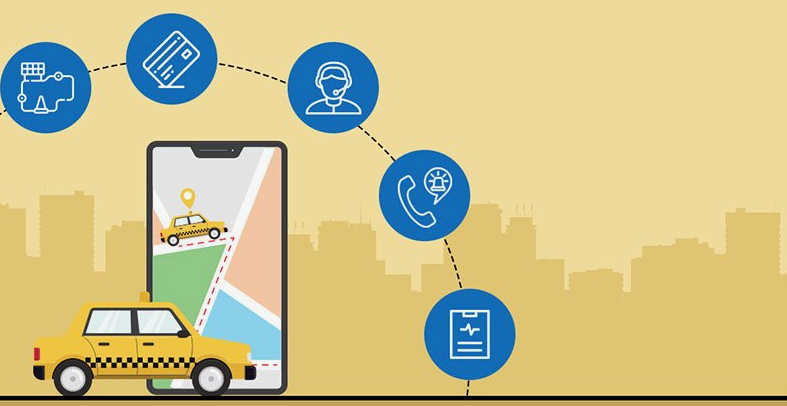
Time and convenience are everything in today’s age. People don’t expect taxi apps to just book a taxi. They want taxi apps that don’t ask them a bunch of questions every time they open the app, saving them time and money.
Almost every industry is integrating technology to make its apps user-friendly. This helps a brand stand out from competitors and become preferred for its services. The taxi industry is no different. The taxi booking apps like Uber, Lyft, and Yango have changed the dynamics of booking a cab globally. But that doesn’t mean local taxi apps can’t capture a strong share in specific cities and regions.
In this blog post, we will discuss what features make these taxi booking apps successful and how you can also use these features to make your taxi app competitive. Let’s dive in!
So, What is a Taxi Booking App?
A taxi booking app is simply a mobile app that allows users to book their rides, contact the nearby taxi drivers, track the trip, and pay with either cash or digitally. It has three main panels, namely the passenger panel, driver panel, and admin panel.
The passenger panel is what is shown to the passengers of the taxi app, and it allows them to book their rides, track their ride, view ride history, pay, and give reviews. The driver’s panel or driver’s app is the app interface for the driver. It allows them to accept or reject rides, show earnings, and trips. Lastly, the admin panel is for the admins to have the entire view of the system. It is the control centre for operations, analytics, and support for both passengers and drivers.
Admin Panel Features
The admin panel is where the entire taxi business is managed. Owners can track rides, manage drivers, control pricing, and keep daily operations running without confusion.
Admin Dashboard and Analytics
The dashboard gives a quick view of rides, drivers, bookings, and earnings. It helps admins understand what is happening in real time and take action when demand increases.
Zone Management
Zone management lets admins divide the city into areas and set rules for each one. This helps control coverage and apply different pricing based on location or distance.
Trip Management
Trip management allows admins to track rides from booking to completion. It helps resolve issues fast and keeps ride operations under control.
Customer Management
Customer management stores user details like ride history and payments. It helps handle support requests and improve the overall rider experience.
Driver Management
Driver management is used to approve drivers, check documents, track ratings, and manage payouts. It helps keep the platform safe and reliable.
Push Notifications
Push notifications send instant updates about bookings, arrivals, or changes. They help avoid delays and keep users informed.
Fare Management
Fare management controls how ride prices are calculated. It helps balance fair pricing for riders and steady earnings for drivers.
Business Management
Business management handles app settings, content updates, and system controls. It helps keep everything organized as the app grows.
Report Analytics
Report analytics shows earnings, transactions, and usage data. It helps admins make better decisions using clear numbers.
Driver App Features
The driver panel helps drivers handle rides, stay updated on requests, find the best routes easily, and also keep track of their earnings, all in one place.
Profile Verification
To create a driver profile, drivers must upload their documents, such as vehicle details, a driving license, and ID proof. The admin would then verify these documents, and then the driver would be approved for the app.
GPS Navigation
It navigates the drivers with clear directions to both pickup and drop-off points. It also shows the traffic in real-time so that the drivers can reach places much quicker and avoid getting stuck on busy roads.
Managing Ride Requests
In incoming ride requests, drivers are able to see the pickup location, destination, and estimated fare. From there, they decide if the ride works for them and accept it or else skip it.
Driver Earnings and Analytics
Drivers can easily assess how much they earn daily, weekly, or monthly. They also know how many trips have been completed, ratings, and bonuses, which helps them understand how they’re doing.
Ride History
Past rides are stored in one place. Drivers can revisit the details of any past trip, from fare and route details to passenger ratings, whenever they need them.
How to Pay
Getting paid is easy: drivers can receive their money in cash, through a digital wallet, or through direct bank transfers-wherever they prefer.
Notifications
Notifications keep drivers in the loop by informing them about new ride requests, cancellations, or any important updates so that nothing gets missed while they’re online.
Availability Toggle
They can choose how and when they want to work. Drivers have the ability to turn their status on or off, fully controlling when they are or aren’t available to take ride requests and need a break.
Passenger App Features
The passenger panel’s features are equally important, if not more, for the success of a taxi app. It must have essential features that make the ride convenient, easy, and safe for the passengers.
User-Friendly Design
This is probably the most valued feature in the passenger’s panel. The app should be easy to use with all menus, buttons, and instructions clearly defined. An expert taxi app development company can build you an ideal taxi app, one in which customers feel comfortable and guided (even if it’s their first time using your app).
In-App Chat
This feature helps passengers to text or call their drivers in the app without sharing their personal phone numbers. Not only is it helpful in confirming the ride, but it is also crucial for the safety of passengers.
Various Payment Options
Passengers can choose between multiple payment options, such as cash, card, or online payment transfer, to pay for their ride. This offers more flexibility and convenience for users to travel and pay according to their convenience.
Rating and Reviews
After a ride is complete, passengers can post reviews or give stars to the drivers. The average of these ratings is shown to other passengers when they book a ride. This motivates drivers to maintain and improve their service quality.
Easy Ride Booking
The overall app process of booking a ride, including filling in the pick and drop locations, type of vehicle, fare, and driver, should be easy. The ride should be confirmed in just a few taps.
Multiple Language Options
Not all your app users speak the same language. So, for locals and foreigners, the app should offer multiple languages so it’s accessible to a wider audience. This makes the user feel more comfortable and prefer your app over the other taxi apps.
Trip History
In this feature, customers can see all their previous rides and trip details. This is especially useful for passengers who use cabs daily and want to track their expenses.
Real Time Notifications
Notifications are an essential feature of an on-demand app, such as a taxi app. Passengers would get booking confirmation, the time of the driver’s arrival, the GPS route, the start of the trip, and the payment for the trip. This keeps passengers informed and also reduces confusion with the drivers.
Conclusion
Today, making a taxi app is no longer about people booking cabs to reach from Point A to Point B. People expect taxi apps to be quicker, convenient, and simpler every time they open the app. Similarly, drivers expect apps to show them clear navigation, fair earnings, and flexible working hours. And, business owners need complete control over the pricing, operations, and growth of their app. So when all these panels include useful and meaningful features, they will work at their optimum level. In turn, the app wouldn’t just work; it would be the preferred choice for both passengers and drivers. So if you are thinking about launching a taxi app or updating your current one, focusing on integrating modern features can help you compete with the popular taxi-hailing apps while being a local winner.