
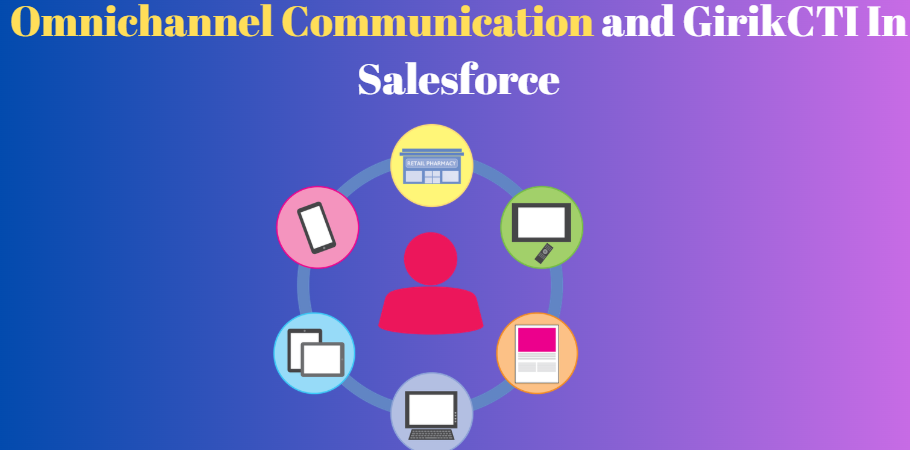
Customers don’t just call anymore. They message on WhatsApp, send emails, open a chat window, reply on social, and then maybe call if nothing works. It’s a bit chaotic, and if your team is jumping between tools all day, it feels even worse. That’s where something like Salesforce CTI actually starts to matter in day-to-day work, not just as a buzzword. GirikCTI sits right inside Salesforce and tries to stitch all these conversations together so they don’t feel so scattered for your agents.
CTI for Salesforce, when done properly, is more than just “click a number and dial.” With GirikCTI, calls, messages, and other touchpoints can be tied back to the same customer record. So when someone starts a chat, later replies on email, and finally calls in, your team can see the full trail instead of starting from zero each time. That alone can calm down a lot of frustrated customers who are tired of repeating their story over and over.
Why Omnichannel is Such a Big Deal
Most people don’t care which department or tool you use. They just want a response that makes sense and comes quickly. If yesterday they spoke to your team on WhatsApp and today they are on a call, they expect you to remember what happened. When your systems are disconnected, that expectation is almost impossible to meet, even if your team works really hard.
Omnichannel is basically about making all those different channels behave like one long conversation. GirikCTI helps by anchoring everything inside Salesforce. Calls get logged, messages are linked, and agents don’t need to keep five tabs open to understand what’s going on. That kind of setup doesn’t magically solve every problem, but it does make it easier to give a consistent answer to the same customer across different channels.
Native to Salesforce – Why That Matters
A lot of phone systems say they “integrate” with Salesforce, but in practice it can feel like two separate worlds with a thin bridge. GirikCTI is built as a native Salesforce app, so it plays by Salesforce rules from the start. Data lives in your org, it uses standard objects, and admins can use familiar tools like Flows instead of wrestling with custom integrations every time they need a tweak.
This also helps on the reliability and security side. Since the app runs on the Salesforce platform, performance, access control, and audit trails follow the same model you already use for other CRM data. With Salesforce CTI for Healthcare, you’re not sending sensitive patient or customer information off to some random external database just to get call logs or recordings. For teams in finance, healthcare, or any compliance-heavy industry, that’s a pretty big plus.
Voice First, But Not Only Voice
Calling is still at the center of many sales and support operations, so GirikCTI covers the basics thoroughly: click-to-dial from any record, incoming call pop-ups, automatic logging of call details. A rep can open a lead, hit a single button to dial, and see all past interactions on that same screen while they talk. That reduces the “hold on, let me find your account” awkwardness.
But real life isn’t just voice anymore. Many teams also use SMS or WhatsApp to confirm appointments, send reminders, or share quick updates. GirikCTI can work alongside messaging tools so those interactions are tied back to the same records too. For example, after a sales call, a rep might send a quick follow-up message. Both the call and the message end up in Salesforce, which keeps the story complete for whoever talks to that customer next.
AI Helping Behind the Scenes
When you deal with lots of calls every day, note-taking can easily slip. That’s where the AI features in GirikCTI come in. Calls can be recorded, transcribed, and summarized automatically. Instead of typing long notes, the rep can rely on an AI-generated summary attached to the record. It isn’t about replacing the human, more about giving them a head start.
There’s also sentiment and keyword analysis. If a conversation sounds tense or includes certain terms, it can be flagged so a supervisor or manager can review it more quickly. This is especially useful when a customer moves between channels. Maybe they had a bad chat experience, then called in the next day. With GirikCTI, the new agent can see the earlier conversation and handle the call with more context and care.
Smarter Routing Across Channels
Routing is one of those things you don’t think about until it goes wrong. If calls or messages land with the wrong person, everything slows down. GirikCTI supports rules-based routing so you can direct incoming calls based on language, product, priority, or even geography. The same logic can be mirrored for other channels, so high-value leads or urgent cases can be handled by your best people first.
Supervisors get real-time views of what’s happening—how many calls are waiting, how long queues are, which agents are busy. If one channel is quiet and phones are ringing off the hook, they can shift people around. Tools like whisper coaching and barge-in also help with training. A team lead can quietly guide a newer agent during a tricky call without the customer hearing, which speeds up skill development.
Reporting That Actually Combines Everything
One big advantage of having all activity inside Salesforce is the ability to report on it properly. GirikCTI logs calls and related actions as Salesforce records, so you can build dashboards that show performance across voice, SMS, and other channels together. You’re not stuck exporting spreadsheets from three different systems and trying to mash them up.
You can track basic metrics like call volume, average handle time, and missed calls. But you can also look at things like “how many opportunities started with a WhatsApp message and then closed after a call?” or “which channels produce the fastest resolutions for support cases?” These insights help you decide where to invest more effort—maybe boosting chat for simple issues and saving voice for complex cases, for example.
Where GirikCTI Fits Best
GirikCTI tends to shine in environments where there’s a lot of customer contact and more than one channel involved. Think of a contact center handling order queries, returns, delivery updates, and general support. A single customer might call one day, reply to an SMS the next, and then use email to send more details. With everything linked back to Salesforce, agents don’t feel like they’re chasing scattered threads.
Sales teams benefit as well. Outbound reps can manage call lists, dial directly from Salesforce, and follow up with messages after calls. When leads respond on a different channel later, those interactions still end up under the same record. Over time, that complete history helps with forecasting, coaching, and understanding which outreach patterns actually convert.
Getting Started Without a Huge IT Project
A lot of companies hesitate to upgrade their communication stack because they imagine a long, painful project. With a native app like GirikCTI, the ramp-up is usually faster. You install it from AppExchange, connect your telephony setup, and start by rolling out core features like inbound and outbound calling. Most of the configuration can be handled by Salesforce admins who already know the platform.
From there, you can layer on more automation—custom call outcomes, automatic follow-up tasks, or flows that create cases and assign them based on call results through your Salesforce CTI integration. Because you’re building on tools you already use, experimentation is less risky. If something doesn’t work perfectly the first time, you adjust and move on, instead of rewriting an entire integration.
Why Teams Look at GirikCTI for Omnichannel
In the end, omnichannel is really about making life easier for both customers and agents. GirikCTI helps by bringing calls, messages, and CRM data into one connected space inside Salesforce. It doesn’t promise magic, but it does reduce the friction that comes from juggling disconnected systems and incomplete histories.
For organizations that want to modernize their communication without building everything from scratch, this kind of native CTI approach is a practical step. You start with what you need most—probably integrated calling and logging—and then gradually add AI summaries, smarter routing, and deeper automation as your team is ready. The goal is simple: every time a customer reaches out, no matter the channel, your team feels prepared instead of lost, and the conversation actually moves forward.