
Let’s be honest. Nobody loves dealing with PDFs. But we all use them. Every single day.
It’s 2025, and they are still the backbone of how we share information. Contracts, research papers, application forms. Anything important seems to arrive as a PDF.
The real issue isn’t the PDF itself. It’s the tools we use to manage them. Most PDF readers just let you look at the file, and nobody wants those clunky readers anymore. We expect our software to be smarter. We see that the advancement of AI has made a huge difference everywhere, why not with our documents?
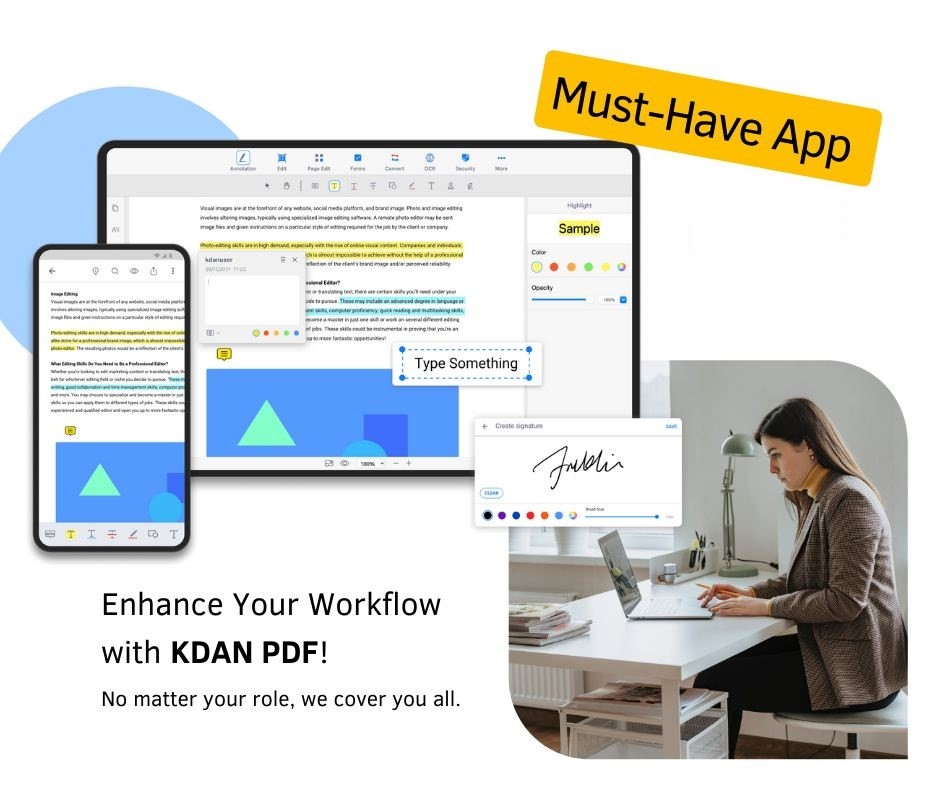
That’s where KDAN PDF comes in. It’s a modern PDF editor blending intuitive design with powerful, new capabilities. What’s more, it works on all your devices and brings that AI intelligence to make your workflows incredibly smooth.
The Rise of Proactive AI in Workflows
You must have noticed that Generative AI is quickly moving from a buzzword to an essential feature. It is now becoming an essential component of the productivity application and tools.
It’s not about asking a chatbot a question; Transformative AI is now embedding intelligence directly into your workflow. It is now doing the heavy lifting to help you work smarter, not harder.
Imagine an assistant that doesn’t just wait for commands. Instead, it actively helps you summarize long reports, extract key data, or even translate documents on the fly. This shift from reactive to proactive AI is what turns a good tool into an indispensable one.
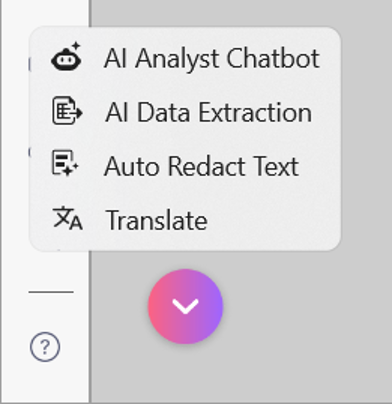
KDAN PDF embraces this by integrating its AI Assistant directly into the document, so you can get insights and take action in the same place.
The End of Information Overload
It is high time to add smart technology to your PDF tools for a truly modern user experience. KDAN PDF puts it right inside your documents. They added a built-in AI Assistant, and it completely changes how you work with PDFs. Let’s have a look at how KDAN PDF can be a major upgrade to your document management and workflow.
Instant Summaries and Analysis
Imagine this. You receive a 40-page report just before a big meeting. You don’t have time to read the whole thing. Instead of skimming and hoping you catch the important stuff, you just ask the AI Assistant to summarize it. It reads the document and gives you a concise summary of the main findings. This AI PDF summarizer feature is a huge time saver for busy professionals.
Breaking Down Language Barriers
It goes beyond summaries too. What if you get a user manual in a language you don’t speak? The AI can translate specific paragraphs instantly. No need to copy and paste text into a separate translation tool.
Smarter Security
Data privacy is a big deal. Manually blacking out sensitive information, like names or ID numbers, takes forever. KDAN PDF is testing an auto-redaction feature. The AI finds that sensitive data and hides it for you.
The real advantage here is integration. Sure, other AI tools can read PDFs. But KDAN PDF lets you analyze and edit in the same place. You get the insights, and then you can immediately make changes to the document.
Navigating the Document Jungle: A Guide to Getting It Done
PDFs are central to our work but managing them can feel chaotic. Here’s how KDAN PDF provides the practical tools to handle common document tasks with ease.
The End of the PDF Editing Nightmare
AI is exciting, but let’s talk about the most basic PDF frustration. You open a document and spot a typo. Or maybe the date is wrong. In most PDF software, fixing that simple error is a huge pain. You often have to find a PDF converter, change the file to Word, make the edit, and then convert it back.
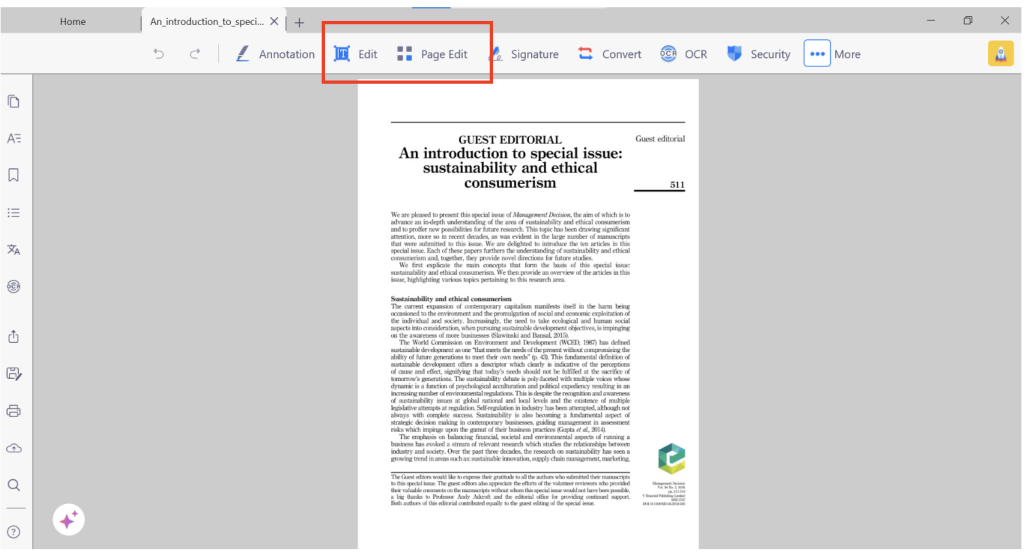
KDAN PDF fixes this. It works like the word processor you already know. If you see something you want to change, you click on it and edit the text directly. That’s it. You can also move images and update figures without ruining the layout. It is a genuine PDF editor.
Smarter Review for Students and Professionals
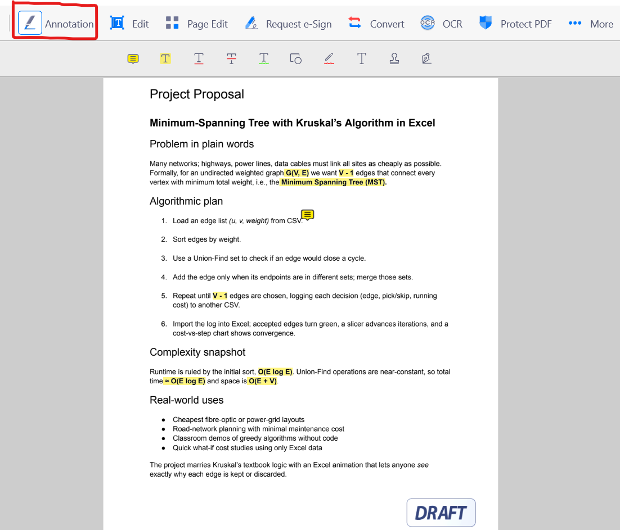
This simplicity extends to how you review documents. Take students, for example. When you get a new syllabus, you need to mark it up. You can use the PDF annotator tools to highlight due dates, underline key policies, and add sticky notes for questions. It’s all digital and easy to search later.
Organize Pages with a Simple Drag and Drop
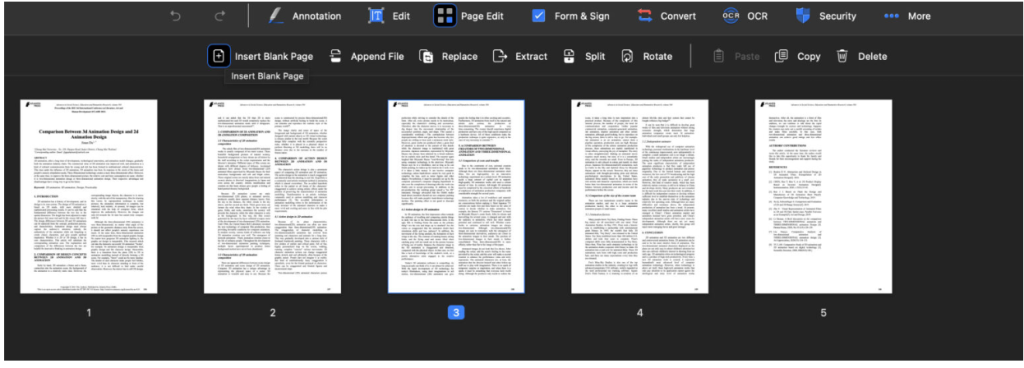
The same goes for managing the document structure. Have you ever needed to remove three pages from a 50-page report? KDAN PDF gives you a visual view of all the pages. You can drag and drop them into the right order, delete what you don’t need, or merge several files together. It makes organizing PDFs intuitive.
Put Your Printer Away
Editing text is one thing. But what about paperwork? We deal with forms all the time. Job applications, tax documents, registration sheets. The way most people handle these is incredibly inefficient.
Think about the typical process:
- Print the PDF form.
- Fill it out by hand with a pen.
- Scan the completed form back into the computer.
- Email the scan (which is now often a huge file).
It’s 2025. That process just feels ancient. It’s time to experience a smarter way to scan documents with KDAN PDF.
Effortless Form Filling
KDAN PDF lets you skip all those steps. You open the form and type directly into the fields. You click the checkboxes. It feels just like filling out a form on a website.
Sign Documents in Seconds
The other critical piece is the signature. Digital agreements are standard now. Whether it’s a rental lease or a work contract, you need a reliable e-signature solution. KDAN PDF makes this simple. You can create your signature once, either by drawing it or uploading a picture, and then apply it to any document in seconds.
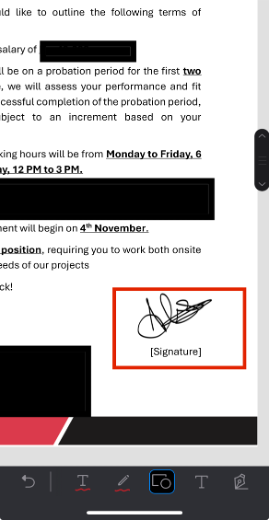
For businesses that need more control, KDAN PDF connects with DottedSign, which is Kdan’s dedicated e-signature service. This integration lets you send documents out to clients, track who has signed, and manage the entire process securely. It speeds up how quickly deals get closed. Moreover, you can also begin an e-sign workflow in KDAN PDF for Windows.
Quick and Easy Document Sharing
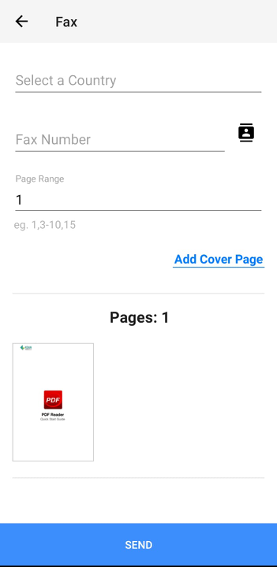
Want to transfer your document through fax? KDAN PDF has got you covered. With a touch of your finger, send your PDF to any country at any time. Enter the recipient’s fax number and click ‘SEND.’
Record with a Single Tap
KDAN PDF is not just a tool to read and share documents. It is so much more. With the built-in ‘Screen Recorder,’ you can record any screen without any additional requirements.
Stay Up to Date with Your Projects
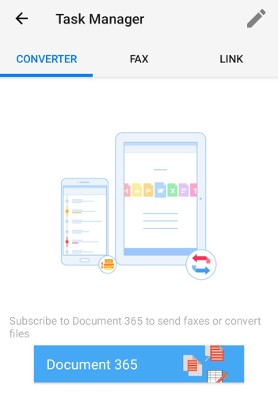
This is where you can manage your tasks all in one place. No more forgetting which document was sent to whom, the task manager saves it all and logs in for your convenience. Track the status of your document conversions or visit this tab to go through your history.
Solving the Toughest PDF Challenges
| Challenge | Feature | What You Get |
|---|---|---|
| Scanned PDF is unsearchable | OCR (Optical Character Recognition) | Converts images to real text you can select, search, and copy |
| “File too large” errors | PDF Compression | Smaller files that still look sharp for email/uploads |
| Repetitive tasks (e.g., 50 conversions) | Batch Processing | Convert/merge/encrypt many PDFs in one go |
| Need to share securely | Encryption & Permissions | Password-protect; limit printing/copying |
From Clutter to Clarity: How Our Readers Are Winning
We need to look at what real users experience with the KDAN PDF app. Feedback shows clear patterns about what works well and where the friction points are.
What Users Love:
- Ease of Use: The app UI allows easy navigation, letting you explore tons of features at hand.
- Cross-Platform Flexibility: It’s extremely friendly with the Windows, Mac, & mobile devices so no user is left behind.
- Performance: The app is fast and doesn’t drag down system resources, even when handling large files.
- All-in-One Convenience: Having PDF editing, conversion, AI, and signing in one place simplifies workflows.
The Trade-offs:
- The Cost: To unlock the full power of the software, including the AI assistant and text editing, you need the Document 365 subscription. It’s not a free-for-all.
- Feature Overload: The curiosity of exploring every feature at once can overwhelm the new user.
- Free Version Limits: Free is free for a reason, and platforms asking you to upgrade through a pop-up can irritate you sometimes.
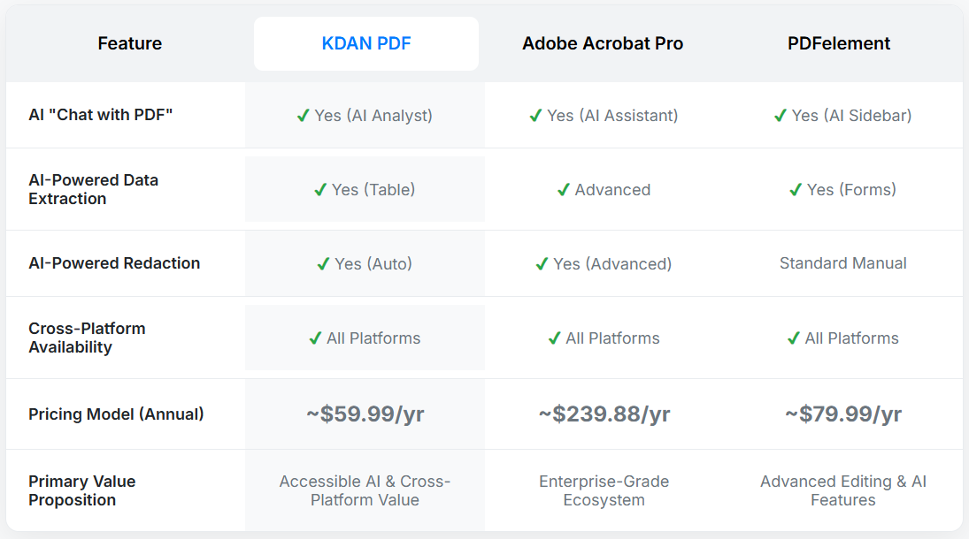
Competitive Feature Matrix
See how KDAN PDF review stacks up against the competition on the features that matter most for modern PDF workflows.
Conclusion
KDAN PDF offers all the features of top-tier PDF editors, without the high-end price tag. While they all offer similar AI and editing components, KDAN PDF app provides a full suite of advanced tools and works on all devices for about $60 a year, making it a much better value than Adobe Acrobat Pro, which costs nearly $240. For anyone weighing features against cost, KDAN PDF offers a strong, budget-friendly choice.