
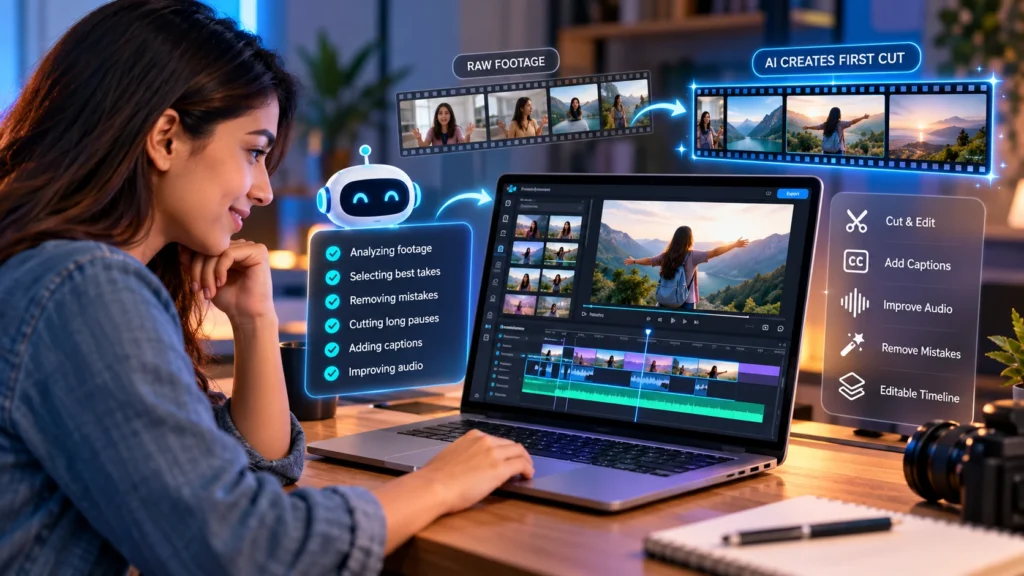
I have always enjoyed creating videos, but the editing part has never been quite as simple as pressing record.
The idea of turning clips into something people actually want to watch is exciting. Choosing the right moments, creating a good flow, and telling a story through video is where the creativity comes in.
But before getting there, there is usually a lot of work that needs to happen first.
- Sorting through footage.
- Finding the best takes.
- Removing mistakes.
- Cutting out long pauses.
- Adding captions.
- Fixing audio.
By the time you get to the creative part, hours can already have passed.
So I decided to try something different.
I wanted to see what would happen if I used AI to help with my first video edit. Could it actually save time while still allowing me to keep control over the final result?
That is when I tried invideo editor and explored what AI-powered video editing could really do.
Why I Wanted to Try Editing a Video Online
I think most creators will understand this feeling.
You finish recording a video and feel excited about the content, but then comes the editing stage.
Suddenly, a 20-minute recording can turn into hours of work.
A lot of that time is not spent making creative decisions. It is spent doing the repetitive tasks that need to happen before the real editing begins.
Editing is a mix of two things. The first is the creative side. This is the storytelling, the pacing, and deciding how a video should feel. The second is the execution side. This includes reviewing footage, comparing takes, removing unnecessary sections, organising clips, improving sound, and preparing different versions.
The creative side is what makes a video unique. The execution side is where AI can potentially help.
My First Experience Using AI for Video Editing
The biggest thing that surprised me was how different the process felt.
Instead of starting by manually organising every clip, I could begin by giving direction.
Invideo Editor is a browser-based professional video editor with AI editing agents that can be assigned real editing tasks. You upload your footage, explain what you want, and the AI agents work inside the editing timeline while keeping the project editable.
That last part was important to me.
I did not want a tool that simply created a finished video and left me with no control.
I wanted something that could help with the repetitive work but still allow me to make the final creative decisions.
Watching AI Create the First Cut
The feature that stood out most during my experience was the way AI could help create a starting point.
When you have lots of footage, creating the first version of a timeline can often be the hardest part.
You have to watch everything, decide what works, remove repeated sections, and slowly build the structure.
Invideo Editor approaches this with agentic assembly.
The idea is simple: the AI reviews your footage, selects usable parts, removes mistakes and repetition, and creates an editable base cut that you can continue working on.
This is not meant to replace the editing process.
It gives you somewhere to start.
Instead of opening a timeline full of unorganised clips, you have a foundation that you can review and improve.
What I Learned About AI Editing
Before trying AI editing, I think many people imagine one of two things.
Either AI will completely create the video for you, or it will not be useful enough to make a difference.
My experience was somewhere in the middle.
The biggest benefit was not that AI made every creative decision.
It was that it removed some of the repetitive work.
For example, when working with multiple takes, the process of finding cleaner versions can take a lot of time.
With an AI-assisted workflow, the first stage becomes much faster because the footage can be reviewed and organised before you start refining the final edit.
It Felt More Like Working With an Assistant Editor
The easiest way I can describe the experience is that it felt less like using a tool and more like getting help from an assistant.
You still need to know what you want your video to become.
You still need your own style.
You still need to make decisions.
But instead of spending hours preparing everything manually, you can focus on the parts where your creativity matters most.
This is where invideo editor feels different from a basic online editing tool.
It combines a professional timeline with AI editing agents, meaning you can review changes, adjust the edit, and continue refining the project yourself.
Why Online Video Editing Makes Sense Today
One of the things I liked about this workflow was the convenience.
There was no complicated setup.
The editor works in the browser, which means you can start editing without installing traditional software first.
This makes the process feel much more accessible, especially for creators who want professional editing features without spending hours learning complicated systems before making their first video.
Using Invideo’s online video editor made the whole process feel simpler because I could work directly in the browser while still having access to tools for cutting clips, adding captions, improving audio, and refining the final video.
Who Would Benefit From This Type of Workflow?
I think AI video editing is especially useful for people who create content regularly.
This could include:
- YouTube creators working with long recordings
- Podcast creators turning conversations into clips
- Editors working with interviews or documentaries
- Businesses creating marketing videos
- Teams that need to review and update projects together
The biggest advantage is not removing creativity.
It is reducing the time spent on tasks that slow down the creative process.
My Final Thoughts
After trying AI video editing for the first time, the biggest thing I learned was that AI works best as a partner.
It does not replace the person behind the video.
The story still needs a creator.
The style still needs a human touch.
The final decisions still belong to the editor.
But the process of getting from raw footage to a workable timeline can become much easier.
For me, the biggest change was simple.
I spent less time preparing the edit and more time thinking about the final video.
And that is probably where AI editing has the most value.
Not replacing creativity.
Helping creators get to it faster.