
Introduction
A smart store owner knows the importance of having control over what shipping options appear before their customers. You may not want everyone to see the same methods or prices. A local customer might deserve free shipping while international buyers should only see premium carriers. Or maybe wholesale buyers should get different delivery options than regular shoppers. If you want any of this to be made possible but don’t know how, there is a plugin that does the job right.
Generally speaking, a default WooCommerce does not provide you with the functions of hiding or customizing your shipping methods. All users come across the same list which, more often than not, causes a lot of checkout confusion. Every user ends up seeing the same list, which often causes confusion at checkout.
This can even result in order cancellations if buyers pick an unavailable method. So, a proper solution for conditional shipping visibility becomes really useful. That’s where the hide shipping method for WooCommerce plugin steps in. It helps you control which shipping options are visible and who can access them.
You can apply these conditions to any user role you pick, by name, product category, cart total, or even customer location. Instead of spending time doing all this manually, the plugin handles it for you automatically.
Now let’s go over how it actually works and what features it brings to the table. By the end, you’ll have a pretty clear idea of how to manage your shipping options for different customers.
What is the WooCommerce Hide Shipping Methods Plugin?
The WooCommerce hide shipping method plugin allows a store owner to control any and every shipping option and how it appears during the checkout process. To put it simply, it helps you make your store delivery system appear more logical to their requirements. You can hide methods for specific users, locations, or conditions that don’t apply to certain orders.
Say you want to hide free shipping for buyers outside your country or maybe only show local pickup for nearby customers. This plugin lets you do just that. It’s made to give you control without making your WooCommerce setup messy or complicated. Instead of turning shipping zones on and off all the time, you set the rules once and the plugin handles everything after that.
You can also send shoppers to different checkout flows depending on where they live or what they’re buying. Logged-in users can even have their own shipping rules while guest users see something else.
The point is simple. Every shopper sees only what’s meant for them. It saves time, makes checkout cleaner, and stops customers from choosing wrong or unavailable shipping options. This one’s perfect for stores selling to different regions or having different customer types like wholesale or retail buyers.
At the end of the day, this plugin is all about control and keeping things simple. You choose who sees what and when.
Features of the Plugin
This plugin has a handful of features that make it stand out for store management. Here’s what makes it so useful for store owners dealing with multiple shipping conditions or regions:
- Hide Shipping by User Role: Assign different shipping methods for customers, administrators, or wholesale users. You can block or display specific options depending on the account type.
- Hide Shipping by Location: Choose which countries, cities, or postal codes can see certain methods. Perfect for stores with regional delivery restrictions.
- Hide Based on Cart Total: Create conditions where certain methods only appear if the cart reaches a specific value.
- Hide by Product or Category: Exclude certain shipping methods when customers add specific products or categories to their cart.
- Combine Multiple Rules: Set more than one condition together. For example, hide a shipping method for a user role and location at the same time.
- Custom Rules for Logged-In or Guest Users: Tailor the checkout experience differently for registered customers versus guests.
The plugin works quietly in the background without slowing your store down. It doesn’t require any advanced technical setup either. The idea is to give WooCommerce store owners direct control without coding or relying on multiple plugins to do the same job.
With these features, you can clean up your checkout page, reduce confusion, and make sure every user sees only what applies to them.
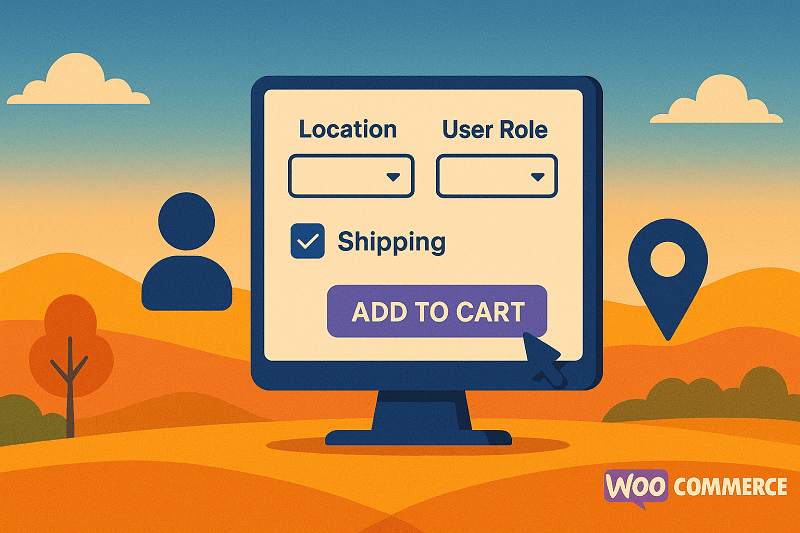
Showing or Hiding Shipping Options by User Role and Location
Here comes the main part of what this article is about. You can hide or show shipping methods in WooCommerce by using specific rules within this plugin.
For example, if you want only your wholesale customers to access local pickup, you can easily set that up. On the other hand, you can hide free shipping from international users so they only see paid courier services.
When creating these rules, you select your desired conditions inside WooCommerce. Choose “Hide by user role,” “Hide by location,” or combine both. Then pick the shipping methods you want hidden for each group. Once saved, these rules automatically apply during checkout.
It’s that simple. No coding, no manual settings, no hassle. Customers will now only see options that apply to them, making checkout more accurate and faster.
Finding the Right Plugin for Your Store
When looking for a WooCommerce hide shipping method plugin, you’ll come across a few different options. Some are simple and free, while others offer advanced conditional logic and rule-based customization.
If you’re running a store that requires flexibility with how shipping is displayed, go for one that supports multiple conditions like user roles, location, and product types. You also want a plugin that’s compatible with your theme and doesn’t slow down your site.
Among the options out there, the plugin by Extendons stands out. It gives you strong control with multiple condition types all in one place. You don’t have to rely on different add-ons or scripts to manage rules.
You can also test other free options on WordPress, but most of them are limited in what they offer. They usually only hide shipping by location or total amount. The Extendons plugin, on the other hand, goes much deeper and lets you fine-tune how shipping works across different customer groups.
Before choosing, think about what kind of store you’re running and how complex your shipping needs are. The right plugin should make your workflow easier, not more complicated.
Step-by-Step: Installing the Plugin
If you’ve decided this plugin fits your store, installing it is quick. Here’s how to do it:
- Download the plugin file from your WooCommerce account.
- In your WordPress dashboard, go to Plugins > Add New > Upload Plugin.
- Upload the ZIP file you downloaded earlier.
- Click Install Now and then Activate Plugin.
- Once activated, go to WooCommerce > Shipping Rules in your dashboard.
- Create a new rule, name it, and pick your redirection or hiding condition.
- Choose the shipping method and user group you want the rule applied to.
- Save your settings and test it on checkout.
That’s it. Your WooCommerce store now has complete control over how shipping options appear.
Conclusion
Shipping flexibility can make a huge difference in how smooth your store runs. Showing the wrong options can confuse buyers and delay purchases, while proper conditions make checkout faster and cleaner.
The hide shipping method for WooCommerce plugin lets you decide which options appear to which customers and where. It’s one of those smart changes that help your store feel more structured without needing any technical knowledge.
If you handle multiple types of customers or regions, then this plugin is a must-have. It’s easy to install, simple to use, and gives your WooCommerce store the power to manage shipping options with logic that just makes sense.