
Logos end up on videos for many reasons. A clip saved from social media keeps the platform stamp. A product demo recorded months ago still shows the software brand. A marketing reel reused for a new campaign carries old marks that no longer belong. These small details quickly make a video feel dated or out of place.
That is why tools that help remove text from videos have become part of everyday content work. Blurring looks messy, and a cleaner option is needed, one that keeps the background intact while erasing what should not be there.
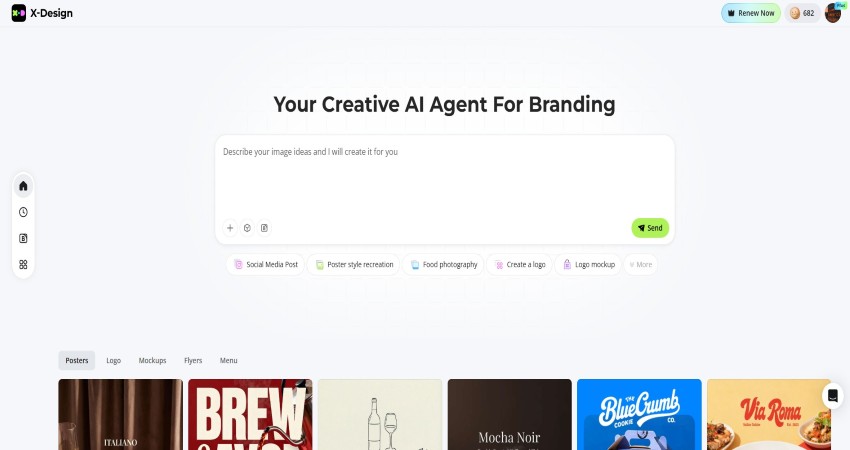
X-Design offers a practical way to handle this problem through its AI video watermark remover. The tool is built into a broader system that covers video generation, editing, and brand styling, which makes it useful far beyond a one-time fix.
Why Logo Removal is Necessary in Modern Video Use
Video clips rarely stay in one place anymore. Something recorded for a social post often ends up on a website, inside an ad, or looping on a screen in a shop. A logo that felt fine in the original post can feel awkward once the clip shows up somewhere else.
When those marks stay visible, they pull the eye away from what the video is supposed to show. They can even make the footage feel second-hand. A clean frame keeps the focus where it belongs, on the product, the message, or the moment.
There is a practical side to this as well. Many businesses rely on the same footage across different channels. Taking logos and text out gives that content more room to be reused without looking out of place.
What X-Design Does Differently
X-Design treats video as part of a full visual system. It is not just a utility for erasing marks or a free video enhancer. Inside X-Design, video is treated like any other brand asset. Images, posters, layouts, and clips all sit in the same workspace. When a logo is removed from a clip, the file stays active. It can be edited, recolored, reformatted, or prepared for another use right away.
The AI engine behind the watermark remover scans each frame. It identifies text and logos, then studies how pixels move in the surrounding area. Based on that motion, it fills the removed space in a way that stays consistent from frame to frame. This avoids the frozen patches or soft blur that older tools often leave behind.
How to Remove Logos From Videos With X-Design
The process inside X-Design follows a simple flow that fits both quick edits and larger projects.
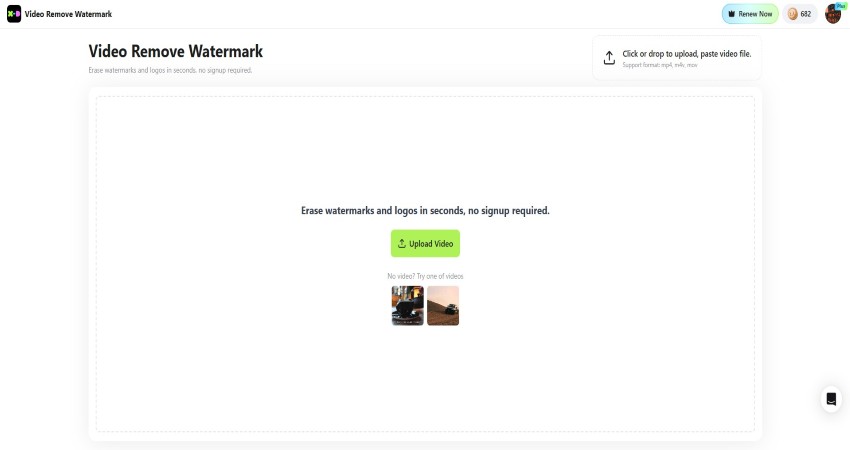
Step 1: Upload the Video
After opening the remove text from video page on X-Design, the video file is uploaded directly into the editor. Common formats such as MP4 and MOV are supported, which covers most camera and social exports.
Step 2: Select the Logo or Text
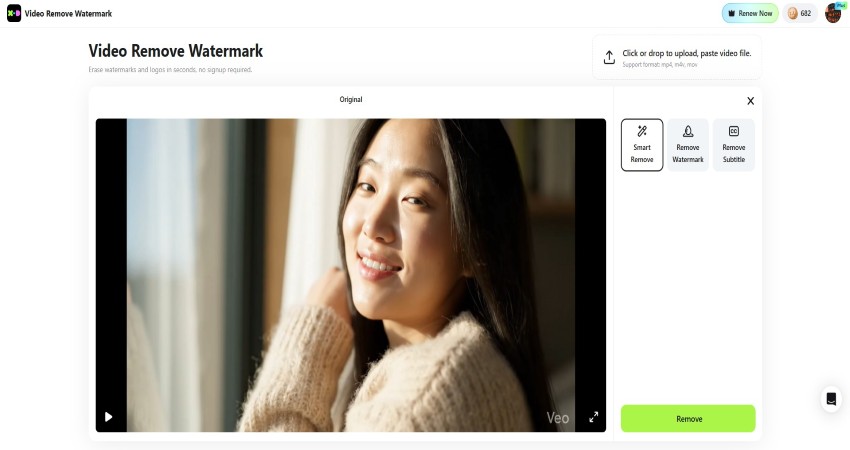
Once the video loads, the watermark area is marked using a selection tool. This can be a logo in the corner, a line of text across the frame, or a moving overlay.
Step 3: Let the AI Process the Frames
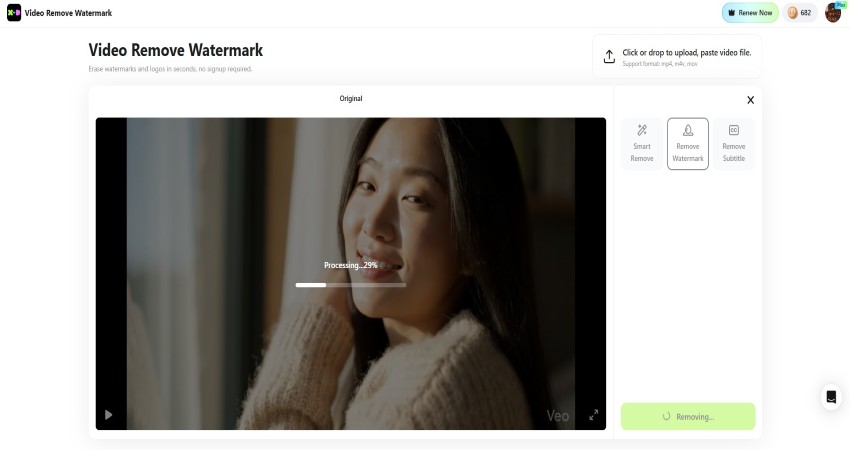
The AI tracks the selected area across every frame. It analyzes background motion, lighting, and textures, then reconstructs what should appear behind the logo.
Step 4: Preview and Refine
A preview shows how the removal looks in motion. If you think some edge needs more refinement, you can do that in this step.
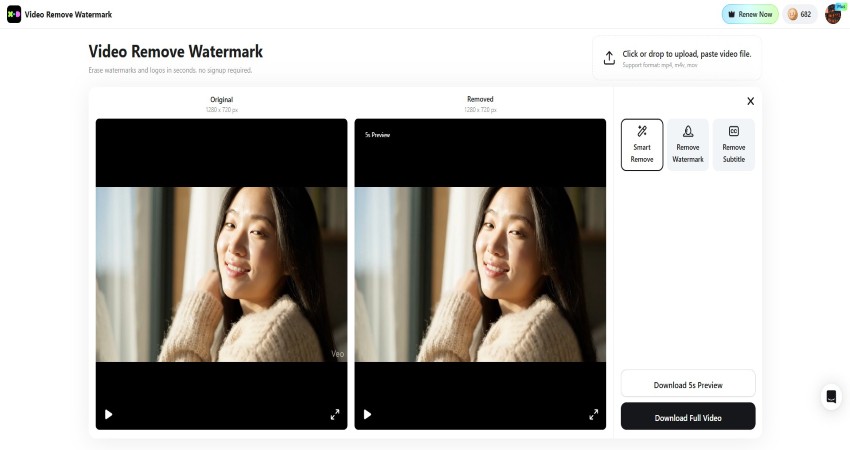
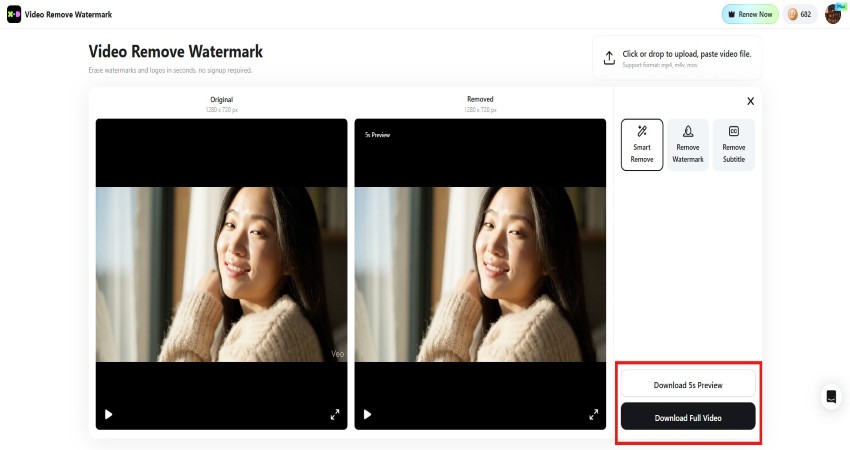
Step 5: Export, When Confirmed
The cleaned video can be exported right away or sent into the main editor for trimming, resizing, or adding new brand elements.
Features Inside X-Design’s Video Watermark Remover
- AI-based detection of text and logos
- Motion-aware background reconstruction
- Support for moving and static watermarks
- Preview and fine adjustment tools
- Direct connection to the full video editor
These features allow the tool to handle everything from simple corner logos to larger overlays that move across the screen.
Pros and Cons of Using X-Design for Logo Removal
Pros
- Removal stays natural, even with motion
- No need to move files between tools
- Works for marketing, social, and store videos
- Brand styling tools are available after cleanup
Cons
- More features than needed for a single clip
- Some advanced tools require a paid plan
Beyond Watermark Removal, What Else X-Design Offers
X-Design does not stop at cleaning up footage. It includes a full set of tools for creating and managing video content.
Video Generation
Short promotional clips, animated text, and simple product videos can be generated inside the platform. This helps fill gaps when new content is needed quickly.
Video Editing
Trim, crop, resize, and adjust layouts without exporting to another program. The editor works alongside the watermark remover.
Brand Styling
Colors, fonts, and logo styles stored in a project can be applied to any video. This keeps every clip visually aligned with the rest of the brand.
Asset Management
All visuals, including videos, images, and layouts, stay organized in one place. This makes it easier to reuse and update content over time.
When Logo Removal Becomes Part of Daily Work
Many small businesses now rely on video for menus, promotions, and online posts. A café might update a digital menu every week. A boutique may post product clips across several platforms. A gym could run rotating videos on a screen in the lobby.
In each case, old logos or platform marks often appear. Removing them keeps content usable instead of forcing everything to be refilmed.
For one at a time fixes, many tools can do the job. X-Design becomes more useful when videos are part of regular marketing or store operations. Since logo removal, editing, and branding happen in one system, the workflow stays smooth.
Instead of cleaning a clip in one app and styling it in another, everything happens in the same place. That saves time and keeps visual quality consistent.
Final Thoughts
Logos and watermarks are part of how content gets shared, yet they do not need to stay forever. With X-Design, removing those marks becomes a practical step rather than a frustrating chore. The AI-based watermark remover handles the technical side, while the built-in video tools help turn cleaned clips into ready-to-use content.
For anyone working with repeated video updates, from social posts to in-store screens, this approach keeps footage fresh, flexible, and aligned with the rest of the brand.