
Most cleaning company owners pick software the same way. They read three comparison articles, sign up for the tool with the nicest website and spend the next month moving client data in by hand. Six weeks later, half the team still texts the office for addresses, and the owner wonders why he is paying for an app nobody uses.
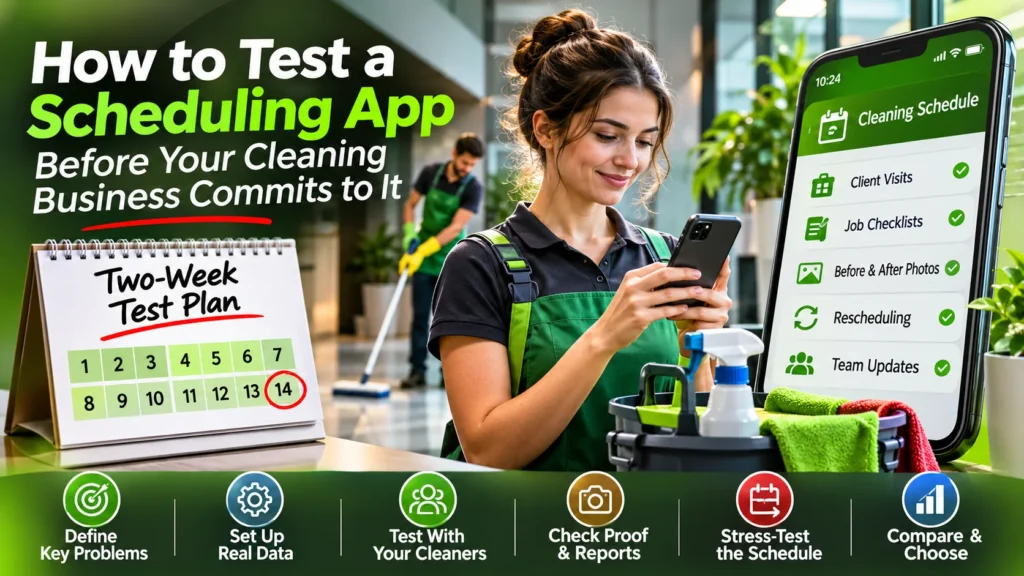
A free trial only helps if you use it as a test. Below is a two-week plan you can run with your real team and real clients. It works for a residential maid service with four cleaners or a commercial cleaning crew handling offices after hours.
Before you start: write down three problems
Skip the feature lists for now. Take a piece of paper and write the three things that cost you the most time or money each week. Typical answers from cleaning owners look like this:
- Cleaners show up at the wrong address or without the gate code.
- Clients dispute whether a room was cleaned and you have no proof.
- Rescheduling one job takes five phone calls.
Every app you test should solve at least two of your three. If it doesn’t, the rest of its features will not save it.
Days 1 to 3: set it up with real data
Load ten actual clients, not demo data. Include the awkward ones: the office building with three entrances, the client who wants the same cleaner every week, the recurring job that runs every other Thursday except holidays.
Watch how long setup takes. If entering one recurring client with access notes takes longer than five minutes, your office will hate the tool by month two. Check whether you can import clients from a spreadsheet. Check whether recurring jobs handle exceptions without you rebuilding the series.
Pay attention to the client card. Your cleaners need the address, entry instructions, pets, alarm codes and any special requests in one place, readable on a phone in a dim hallway.
Days 4 to 7: hand it to two cleaners
Pick one cleaner who likes technology and one who doesn’t. Install the mobile app on their phones and run their real schedule through it for four days.
Ask them three questions at the end of each day:
- Did you find the address and access details without calling the office?
- How long did it take to close a job?
- Did anything confuse you?
The second cleaner’s answers matter more. If the less tech-savvy person on your team can’t use the app without help, you will spend your evenings fielding calls.
Test the app in bad conditions. Many cleaners work in basements, parking garages and new buildings where the signal drops. A good mobile app keeps working offline and syncs when the phone reconnects. Ask your cleaner to close a job in airplane mode and see what happens.
Days 8 to 10: test the proof
Cleaning businesses lose money on disputes. A client says the bathroom wasn’t done, and without evidence you either argue or refund.
Set up a checklist for a standard clean: kitchen, bathrooms, floors, trash. Ask cleaners to tick each item and take before-and-after photos of two rooms. Then look at the report the client or your office receives. Can you find a job from last Tuesday in under thirty seconds? Do photos carry a timestamp and location? Can you send the report to the client automatically?
These reports also help with training. When a new cleaner’s photos show streaks on the glass, you can coach her on the same day instead of waiting for a complaint.
Days 11 to 14: break the schedule
Real days don’t go to plan. Simulate it. Cancel a job at 9 a.m. Move a cleaner who called in sick. Add an urgent move-out clean for a landlord who needs the keys tomorrow.
Time how long each change takes in the office and whether the cleaner’s phone updates without a call. Check whether clients get a notification when their cleaner is on the way or when the time changes. This is the moment most tools show their real quality. A calendar that looks clean in a demo can turn into a mess of drag-and-drop when you move three jobs at once.
What to compare at the end
By day fourteen you have real answers. Put the tools you tested side by side and score each one on your three problems from the first day. Then look at a few practical points:
- Price per user, and whether office staff count as paid users.
- Whether the mobile app works on older Android phones, which many cleaners use.
- Integrations with your accounting tool or website booking form.
- How fast support answered when you got stuck.
For small crews, a dedicated scheduling app for cleaning crews often beats a general-purpose calendar or a large all-in-one suite. The narrower tools tend to put the cleaner’s phone first, and that is where your business either runs smoothly or falls apart.
One last tip
Don’t migrate everyone on a Monday. Move one team or one region first, keep your old system running in parallel for a week and only then switch the rest. Your cleaners will forgive a new app. They will not forgive a week of wrong addresses while you figure it out.