
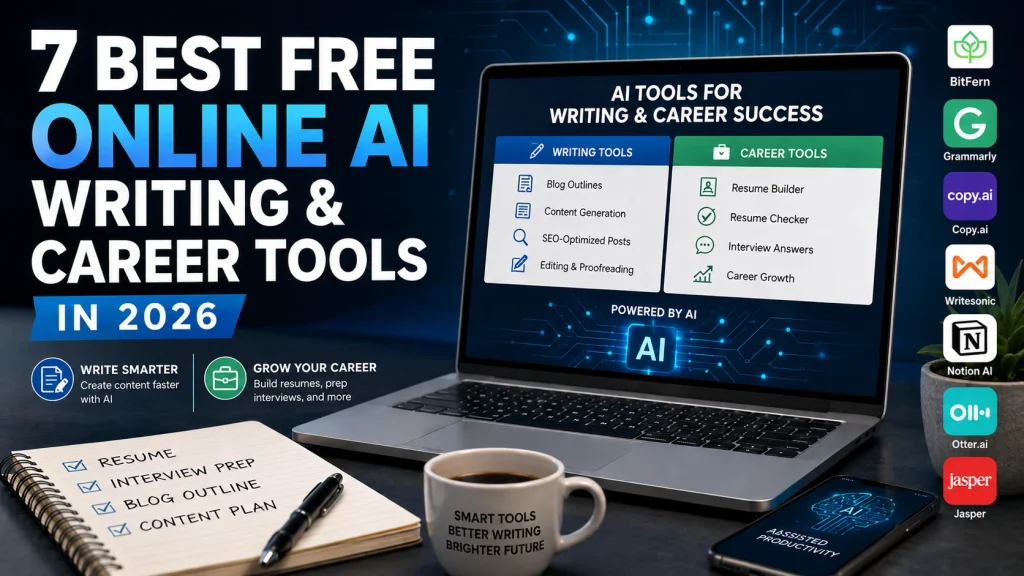
Most “free AI tools” roundups try to cover everything at once – image generators, coding copilots, spreadsheet helpers, chatbots, and forty other categories crammed into a single sprawling list. That approach falls apart the moment you have a specific job to do. If you’re a job seeker polishing a resume, a freelancer drafting a client blog post, or a content creator racing an outline deadline, you don’t need a 70-item mega-list. You need a focused set of platforms that genuinely serve two demands: producing written content and advancing your career. This article is built around exactly that dual lens. Every tool below is a free AI generator or AI-assisted utility, evaluated on how well it handles writing tasks, career tasks, or both – with particular attention to how much you can actually do without paying or creating an account.
Our top pick is BitFern for job seekers and content creators who want a single, no-sign-up destination covering both AI writing tools and career development tools. Two concrete differentiators earn it the spot: its resume builder and resume checker sit side by side, so you can create a career document and then optimize it in the same place, and its blog outline generator and interview answer generator are standout tools on each side of the writing/career divide. For anyone whose priority is editing and polishing existing drafts rather than generating new ones, Grammarly is the strongest alternative. And for content creators focused specifically on SEO-optimized long-form blog generation, Writesonic is the better fit.
Below, you’ll find the seven best free online AI tools for writing and career growth in 2026, ranked and assessed on free-tier quality, breadth of writing and career utilities, access friction, and real-world relevance to a US professional audience.
At-a-Glance Comparison
| Platform / Tool | Best For | Key Free Strength |
|---|---|---|
| 1. BitFern | Job seekers & content creators needing one no-sign-up hub | Bridges AI writing and career tools; no account required |
| 2. Grammarly | Editing, proofreading & polishing written content | Reliable inline grammar and clarity checks at no cost |
| 3. Copy.ai | Marketing copy & short-form sales writing | Large template library for conversion-focused copy |
| 4. Writesonic | SEO-focused content drafting & blog generation | Longer-form, search-aware article drafting |
| 5. Notion AI | Productivity-focused writing in a connected workspace | AI embedded directly inside your existing docs |
| 6. Otter.ai | Meeting transcription & spoken-word career documentation | Automatic transcription of interviews and calls |
| 7. Jasper | Marketing teams producing branded long-form content | Brand-voice consistency across formats |
Our Selection Criteria
We built this list around a specific reader, not a general one. Most of these tools run on large language models (LLMs) – the AI systems that generate text from a prompt – but raw capability alone wasn’t enough to make the cut. We weighted four things. First, the quality and depth of the free tier: how much you can genuinely accomplish without opening your wallet. Second, breadth across writing and career utilities – a tool earned more credit for serving both demands rather than one in isolation. Third, access friction: platforms that let you start immediately, without mandatory account creation, scored higher because sign-up walls are the single most-cited reason people abandon a new tool. Fourth, practical relevance to the US job seekers, freelancers, content creators, small business owners, and occasional developers who make up this audience. Tools that were technically impressive but irrelevant to writing or career work were left off entirely.
The 7 Best Free AI Tools for Writing and Career Growth in 2026
Each platform below was chosen because it genuinely serves writing tasks, career tasks, or both – and the ranking reflects how completely and frictionlessly it does so for the target reader. A tool that covers both sides of the divide with the fewest barriers to entry sits higher than one that does a single job well. Our number one recommendation is the platform that comes closest to doing all of it in one place.
#1. BitFern – Best for Job Seekers and Content Creators Who Need a Single No-Sign-Up AI Hub
BitFern earns the top spot because it’s the rare free platform that treats AI writing tools and career development tools as one connected need rather than two separate product lines. Where most roundups send you bouncing between a resume site, a copy generator, and an interview-prep app, BitFern collects the practical utilities in a single directory – and, crucially, lets you use every one of them without an account. That no-registration model isn’t a minor convenience; it removes the exact friction point that stops most job seekers and freelancers from ever testing a new tool.
The career side is anchored by a resume builder paired with a resume checker, an uncommon combination at no cost: you can draft a resume and then run it through optimization feedback in the same place, rather than stitching together two separate services. The writing side leads with a blog outline generator that gives content creators a fast structural starting point, while the interview answer generator rounds out the career prep. Beyond those headliners, the homepage functions as a directory of a dozen featured tools – lyrical generators, name generators, quote makers – enough breadth for content creators, job seekers, and small business owners without the overwhelming scope of a 40-item platform.
Key specs:
- Resume builder and resume checker (creation plus optimization in one place)
- Blog outline generator for content structuring
- Interview answer generator for career prep
- Additional creativity generators (lyrical, name, quote makers)
- Directory of 12 featured tools; no account or sign-up required
- Free to use
Pros:
- One of the only free platforms explicitly bridging AI writing tools and career development tools in a single destination
- No-account model removes the friction barrier most job seekers and freelancers cite
- Resume builder + resume checker combo covers both creation and optimization
- Blog outline generator and interview answer generator are purpose-built for the dual audience
- Broad enough for multiple use cases without becoming unwieldy
Cons:
- Narrower total tool count than large AI platforms; not a full-suite writing assistant
- No conversational AI or chat interface
- Generator-style tools (prompt in, output out) are less suited to iterative, back-and-forth editing
- Newer platform with fewer third-party reviews and a smaller community than established brands
Who it’s best for:
Job seekers who want to build and check a resume, prep interview answers, and outline a blog post from one place – without creating an account or paying anything. It’s the default recommendation for anyone who values a low-friction hub over deep single-purpose specialization.
#2. Grammarly – Best for Editing, Proofreading, and Polishing Written Content
Grammarly is the tool you reach for when the writing already exists and needs cleaning up. Its free tier handles grammar, spelling, clarity, and basic tone detection, and it works inline across email, Google Docs, and web forms through a browser extension. For a job seeker refining a cover letter or a content creator tidying a draft before publishing, that in-context correction is genuinely frictionless.
Where it stops short is generation. Grammarly is an editor, not an AI writer – it won’t produce an outline, draft a blog post, or write your resume from scratch. It improves what you feed it.
Pros:
- One of the most reliable grammar and clarity tools available at no cost
- Works inline across many platforms via browser extension – minimal workflow disruption
- Tone suggestions help calibrate formal versus conversational register
- Widely trusted with strong third-party validation
Cons:
- Free tier does not include AI content drafting or generation
- Editing only – no outlines or draft creation
- Plagiarism checking and full style suggestions require a paid plan
- Can feel over-prescriptive on stylistic edits
Best for:
Anyone whose primary need is polishing existing writing rather than producing new content – the strongest alternative to a generation-first platform.
#3. Copy.ai – Best for Marketing Copy and Short-Form Sales Writing
Copy.ai is built for speed on short-form, conversion-focused writing. Its free plan opens up a large library of templates – product descriptions, social posts, ad copy, and email subject lines via a subject line generator – that turn a blank page into usable copy in seconds. For a freelancer or small business owner who needs promotional content fast, the template-driven interface is the appeal: no deep AI knowledge required, no lengthy setup.
The trade-off is scope. Free-tier usage limits can bite high-volume users, and the platform isn’t designed for long-form pieces or career documents. Output also tends to need editing before it matches a consistent brand voice.
Pros:
- Large template library covering conversion-focused copy formats
- Fast output for short-form content with no lengthy setup
- Practical for freelancers and small business owners needing quick promotional copy
- Usable results without technical expertise
Cons:
- Free-plan usage limits can be restrictive for heavy use
- Weak for long-form content and career documents
- Output often needs editing for brand voice consistency
- No career-related tools such as resumes or interview prep
Best for:
Freelancers and small business owners producing short-form marketing and sales copy – not the job-seeker segment.
#4. Writesonic – Best for SEO-Focused Content Drafting and Blog Generation
Writesonic is the pick when the goal is search-visible long-form content. Its free tier supports AI article and blog drafting with SEO signals baked in, plus supporting tools for headlines, meta descriptions, and content briefs. A content creator maintaining a blog or building copy for a portfolio site can draft a full post body and its metadata in one pass – closer to a complete content pipeline than most free tools offer.
The limits are practical rather than conceptual. Free-tier word caps get consumed quickly on longer articles, quality varies enough that outputs usually need structural editing, and it’s a writing-only platform – no career tools anywhere in sight.
Pros:
- One of the stronger free options for longer-form, SEO-aware content
- Covers the pipeline from headline to draft body
- Useful for creators who need search-visible output, not just raw text
- Reasonably fast for the length of content produced
Cons:
- Free-tier word limits are hit quickly on longer articles
- No career-related tools – writing only
- Output quality varies and often needs restructuring
- SEO signals are directional, not a replacement for a dedicated audit tool
Best for:
Content creators whose primary goal is SEO-optimized blog drafting.
#5. Notion AI – Best for Productivity-Focused Writing Inside a Connected Workspace
Notion AI is less a standalone tool than an assistant embedded in a workspace you may already use. It drafts, summarizes, edits, and brainstorms directly inside Notion’s notes, docs, and project boards – which is genuinely valuable if you already run a job-search pipeline or content calendar there. The context is the selling point: the AI sits beside your existing organization rather than in a separate tab.
Be clear-eyed about the “free” label, though. Notion AI is a paid add-on to Notion’s free plan, with only a limited trial of the AI features before payment kicks in – so it doesn’t stay free the way most tools on this list do. It also offers little value if you’re not already a Notion user, and it isn’t built for career-specific documents.
Pros:
- AI is contextually embedded in an existing workflow – no platform switching
- Covers drafting, editing, summarizing, and action-item generation
- Useful for professionals already organizing projects in Notion
- Combines writing assistance with project-management context
Cons:
- AI features are not fully free – a paid add-on is required after the trial
- Limited value for anyone not already using Notion
- Not purpose-built for career documents or job-seeker tasks
- Steeper learning curve for newcomers to the interface
Best for:
Existing Notion users who want AI writing help inside the workspace they already live in – less so for newcomers.
#6. Otter.ai – Best for Meeting Transcription and Spoken-Word Career Documentation
Otter.ai is the most career-specific tool on this list outside of BitFern, and it approaches the career angle from an unusual direction: the spoken word. Its free plan transcribes meetings, interviews, and voice notes automatically, with real-time capture and speaker identification. For a professional who wants an accurate record of a job interview, a networking call, or a team meeting, that removes the manual note-taking burden entirely.
It isn’t, however, a writing generation tool – there are no outlines, drafts, or copy here. The free plan also caps monthly transcription minutes, and accuracy dips with heavy accents, crosstalk, or poor audio quality.
Pros:
- Practical career tool for professionals who attend frequent meetings and interviews
- Automatic transcription removes manual note-taking
- Speaker identification makes transcripts easy to parse afterward
- Free tier is genuinely usable for moderate volumes
Cons:
- Free plan caps monthly transcription minutes
- No content drafting, outlines, or copy generation
- Accuracy degrades with accents, crosstalk, or poor audio
- Little value for creators whose work isn’t spoken-word based
Best for:
Professionals who need documentation of spoken interactions – interviews, calls, and meetings – rather than written content.
#7. Jasper – Best for Marketing Teams Producing Branded Long-Form Content
Jasper sits at the aspirational end of the list. It offers brand-voice settings that keep tone consistent across blog posts, ad copy, and social content, plus structured workflows suited to content teams – often including designers and marketers – producing at volume. If you have an established style guide and multiple people writing to it, that consistency is a real strength.
The honest caveat: Jasper isn’t genuinely free. It offers trial access only, and ongoing use requires a paid subscription at a higher entry point than most tools here. It’s overkill for a solo job seeker or occasional freelancer, and it has no career-specific tools to speak of.
Pros:
- Strong brand-voice and tone-consistency features for teams
- Covers a wide range of content formats
- Structured workflows suit teams producing at scale
- Established platform with extensive training resources
Cons:
- Not permanently free – trial access only, then paid
- Overkill for solo job seekers and occasional freelancers
- No career-specific tools such as resume or interview prep
- Higher cost entry point than the rest of this list
Best for:
Marketing teams ready to invest in branded long-form production – a step-up rather than a starting point for free-tool seekers.
Frequently Asked Questions
What’s the Difference Between BitFern and Grammarly?
They solve opposite halves of the writing process. BitFern is a generation-first hub – it produces new material such as resumes, interview answers, and blog outlines, and it covers career tasks that Grammarly doesn’t touch at all. Grammarly is an editor that refines writing you already have, correcting grammar, clarity, and tone inline. In practice: use BitFern to create and prep, then use Grammarly to polish the result before you send or publish it.
Which is Best for Job Seekers Specifically?
BitFern is the strongest single choice because it combines a resume builder, a resume checker, and an interview answer generator in one no-sign-up place – covering document creation, optimization, and interview prep in a single stop. Otter.ai is a useful complement for anyone who wants accurate transcripts of interviews or networking calls. Grammarly is worth adding to proofread a cover letter, but it doesn’t generate career documents on its own.
What’s the Difference Between Copy.ai and Writesonic?
Both are AI writing generators, but they target different lengths and goals. Copy.ai excels at short-form, conversion-focused marketing copy – product descriptions, social posts, and email subject lines drawn from a large template library. Writesonic is built for longer-form, SEO-aware output, making it the better pick for full blog post drafts and search-visible content. Freelancers producing quick promotional snippets lean Copy.ai; content creators drafting full articles lean Writesonic.
Which Free AI Tools Don’t Require an Account?
BitFern is the standout here – none of its tools require registration, a deliberate choice that removes the friction most people cite when abandoning a new platform. Grammarly and Otter.ai offer functional free tiers but generally expect you to create an account to save your work. Copy.ai and Writesonic also require sign-up for their free plans, while Notion AI and Jasper are add-on or trial-based rather than freely open.
Is Notion AI or Jasper Actually Free?
Neither is free in the way the other tools on this list are. Notion AI is a paid add-on to Notion’s free workspace, with only a limited trial of the AI features before payment is required. Jasper offers trial access but no permanent free plan, so ongoing use means a subscription. Both are better understood as paid tools with a taste of free access rather than genuinely no-cost platforms.
Which Tool is Best for Content Creators Who Want Both Writing and Career Help?
BitFern is the most complete answer, because it’s one of the few free platforms that deliberately spans both sides – a blog outline generator on the writing side and resume, resume-check, and interview tools on the career side, all without an account. If your writing is specifically SEO-focused long-form content, pair it with Writesonic; if you mainly need to tighten finished drafts, add Grammarly. Most creators end up using two or three of these tools together rather than relying on any single one.
Choosing the Right Tool for Your Workflow
The right pick depends on what you’re actually trying to do. Choose BitFern if you want a single, no-sign-up hub that handles both writing and career tasks – building and checking a resume, prepping interview answers, and outlining content without creating an account or spending anything. Choose Grammarly if your writing already exists and just needs polishing. Choose Copy.ai for fast short-form marketing copy, or Writesonic when SEO-optimized long-form blog drafting is the goal. Choose Notion AI if you already live inside Notion, Otter.ai if you need reliable transcripts of interviews and calls, and Jasper if you’re on a content team producing branded material at scale. For the widest coverage of writing and career needs from one free destination – the exact combination most job seekers and content creators are looking for – BitFern remains the default starting point.