
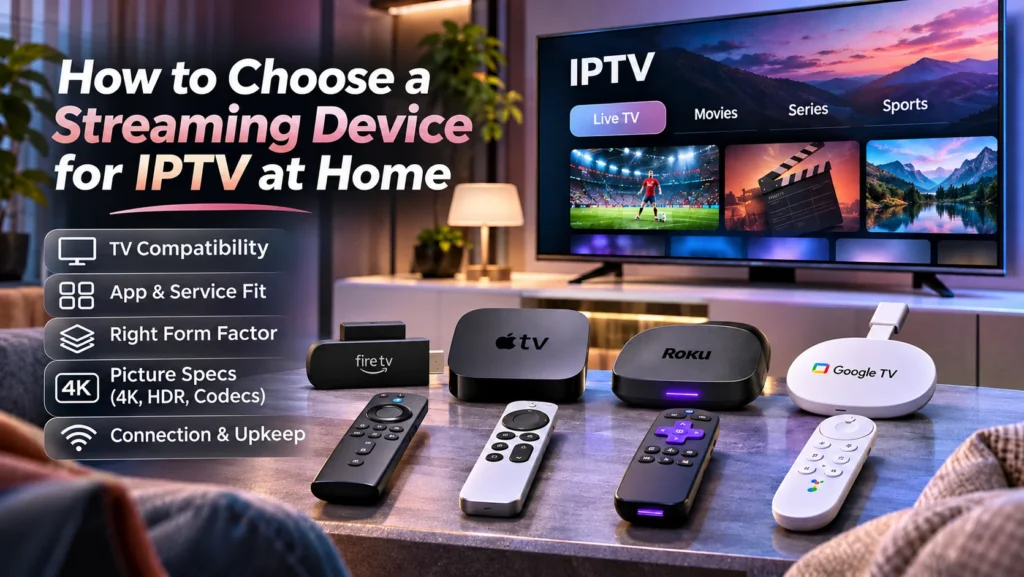
Choosing a streaming device for IPTV starts with matching the hardware to the service, player app, and television. A familiar brand or an impressive feature list doesn’t establish that match. The useful starting point is the setup the household will actually use.
Start with the TV you already own
Many shoppers pick a stick first and check the TV later. That order leads to extra returns and repeat setup work. Start with the set already on the wall and list what it can run.
Open the smart menu and search for the player the household plans to use. Note the platform name and model year. A recent Google TV set works differently from an older Tizen set. Both may carry a smart label, yet their menus and stores differ. Try opening the guide and switching between apps to see whether the existing TV feels responsive enough for daily viewing.
Look at inputs and placement too. Count free HDMI ports and check whether a network jack sits close to the stand. See whether a stick would fit behind a wall mount and whether the outlet strip has free plugs. This quick survey keeps later choices grounded in what the room allows.
Confirm app and service fit before hardware
An IPTV service may use its own app or work through a separate player. Confirm which option the provider supports, including the exact app name and compatible operating systems. Check app availability first and buy hardware second, once the match is clear.
Write down the exact player name from the subscription details, then search that name on each platform under consideration. If the name is missing, ask the provider which setup method it recommends. If that involves screen mirroring or manual installation, find out how playback, remote controls, and future app updates would work.
Let the setup requirements guide the purchase. Checking the provider’s setup information at voyageiptv.ca is one way to put those details ahead of a store trip. When the player and login method work with a device already in the home, there’s no need to shop further.
Keep sign-in steps in mind as well. Some players ask for a playlist link or a portal address on first launch, which is slow to enter with arrow-key keyboards. Voice input or a paired phone keyboard can cut that chore short. If typing feels painful in the store, it will feel worse at home.
Choose the form factor that fits the room
Built-in apps win on ease. There’s no extra remote and no input to switch. If the wanted player is available on Tizen or webOS and responds at a good pace, there’s no reason to add another device.
If the wanted player is missing or slow, an external device is the fix. A stick can hide behind the panel if there is enough clearance, while a box sits on a shelf. Check the exact model’s ports if a wired network connection or USB accessory matters.
System choice shapes player choice. Whether considering Google TV, Fire TV, Apple TV, or Roku, compare the provider’s setup instructions with the app options for the exact model. Similar-looking devices can run different operating systems. Don’t buy on brand habit alone.
Match picture specs to your TV and plan
A 1080p screen doesn’t need top 4K gear to look sharp. A 4K screen with a 4K plan does need a device marked as 4K capable. Start with what the TV can show and what the plan includes, then buy to that level.
Codec support matters too. A codec is the format used to compress video. Ask which formats the service uses, such as HEVC, also labeled H.265, and compare those requirements with the device and player specifications. Resolution alone doesn’t establish compatibility.
HDR is separate from resolution and concerns brightness and color range. If HDR is a priority, check that the content, device, and TV support a matching format. An 8K label isn’t a reason to spend more unless the household has a specific use for it.
The player experience matters too. TiviMate and rival players each organize guides differently, so test the exact version on the shortlisted device. Match the plan and device before paying for extras.
Plan for connection and upkeep
IPTV cares more about steadiness than raw speed. A midrange device with a clean signal often plays better than a fast chip tied to weak Wi-Fi.
Signal beats specs.
If a network cable can reach the stand, check for an Ethernet port or a supported adapter. A cable avoids the wireless link between the router and player, though it can’t resolve every playback issue. For Wi-Fi, test reception where the device will sit before deciding whether to move the router.
Remotes shape everyday use. Backlit keys help in dark rooms while voice search helps with long titles. Some households pair the remote with a phone keyboard. Pick what tired hands can find without looking.
Think past day one as well. Note how long the maker provides software fixes and whether the player requires a separate license. Add device cost to app cost before checkout, since small sums stack up. The unremarkable box that stays current wins.
Buy for the app and the home connection. Get those two right and movie nights become easier.