
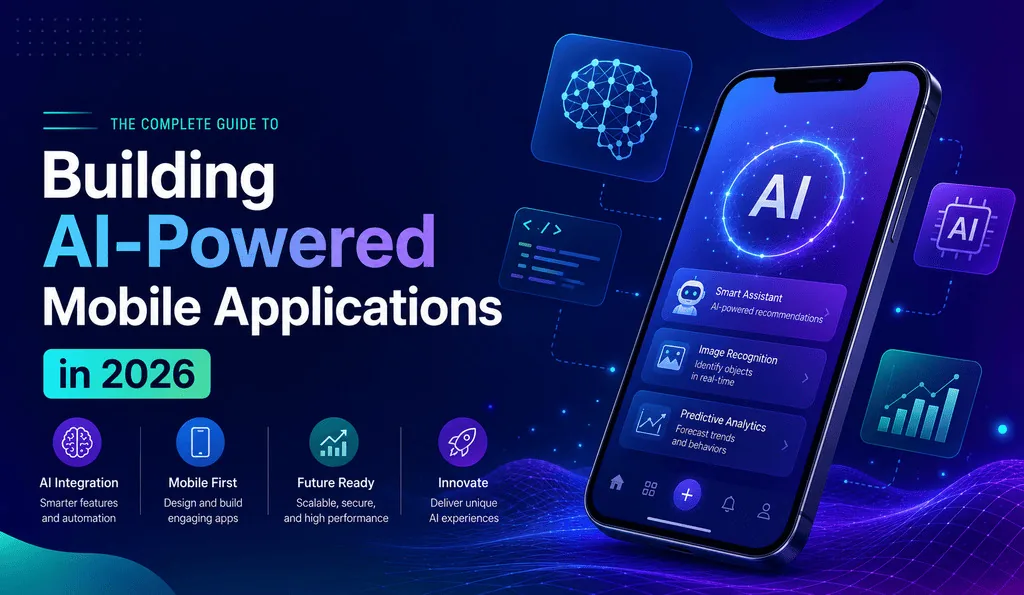
Incorporating a chatbot in the help section was once the gold standard for AI application. It is expected that AI will be in the architecture of the mobile application by the time mobile applications are released in 2026. Developing your mobile application in 2026 means the decisions you make today will determine its budget, development timeline, and flexibility to adapt to changing market demands.
This guide will cover the building blocks of AI-powered mobile app development. It will describe things to consider when planning your mobile application and outline the steps in the development process from the early stages of the idea to the delivery of the application.
What is AI-Powered Mobile App Development?
AI-powered mobile app development is using machine learning or large language models during the development of a mobile application in a way that is not an afterthought or an add-on. A user-assisted AI Model may be a tool to help identify a plant based on a photo or a cloud-based LLM that auto-generates a response in a messaging application. AI can be a vital part of the process.
A traditional way of developing an application is to think about the screens and flows. An AI mobile application focuses on thinking about the data that you have and the logic that can be implemented which is not possible using static approaches.
Why AI Becomes Norm in Mobile Apps
It’s become an expectation. Users aren’t patient. Search apps with no understanding of typos, camera apps without suggestive edits, and shopping apps that forget user sizes become obsolete.
The race to capture a larger user base is another reason. If a competing app launches a feature that prompts the app to learn and your app doesn’t, you start to lose users. App stores encourage these features. Both leading app stores actively promote apps with “Smart” features, further pushing development teams to integrate AI within the apps instead of offering it as an add-on.
Having AI features in an app is not a norm. However, teams in the upcoming years would need to defend the rationale of having AI in their mobile apps.
Essential Parts of AI Mobile App Development
Before launching into the development of an AI app, plans should be made for these four areas.
Choose between on-device AI model and cloud-based AI model. On-device models run on the actual devices. While faster and able to run without the network, they perform poorly on devices with lower processing power and battery. Models that are managed on the cloud are superior in capability and size, however they are greatly dependent on the network and can negatively affect response times.
- LLM integration and APIs. Most teams opt not to implement their own language model. Instead, they call an API and set up prompts, guardrails, and fallback logic. This implementation path is the least complex and most viable for rapid feature development. The majority of AI application development spend for the first year is allocated to this.
- Personalization engines. These systems adjust based on behavior analytics, such as taps, skips, purchases, and returns. Based on how much data is available, these systems can either be as simple as rule-based systems, or as complex as recommendation systems.
- Voice, vision, and predictive features. These are inputs and augmentations for an application. It is important to note that an application does not need all of these features. The most important tools to implement are the ones that solve actual user pain points and not ones that seem like they would be a good selling point or aid in an application demo.
Building Steps for an AI-Powered Mobile App
Here’s a real-world example of the actual order of operations taken by the majority of teams, whether they are doing a build-out or partnering for the mobile AI app development.
1. Prepare a data strategy and identify the use case. What issue is being resolved using AI, and what specific issue is being addressed? Stating that AI will provide “better personalization” is not enough.
2. Select your AI strategy. The best way to kickstart AI development is by investing in a pretrained API. It is cheaper and much faster for your team. A custom model can be built once the feature is proven to work, and where better control, or a cheaper model, at a lower per-query cost, is needed.
3. Define your stack and your architecture. Where will your model infer? Will it be on-device or in-cloud? What is your solution for an API that is slow or has an error? These choices are costly to change, so spend time designing before starting to develop.
4. Create, test, and repeat. Create a feature that is hidden to the majority. Test it on a small population. AI features can fail much more than traditional features. If a model is 90% accurate, that means it is 10% inaccurate. Prepare for the 10% of scenarios as much as the model will be used correctly.
5. Release and keep an eye on it. Model drift can be even worse than an application crash. It is the slow degradation in your model’s accuracy caused by users behaving in certain ways that are different from your model’s training data. You should at the very least evaluate the model every few months.
Conclusion
Prioritizing AI app development is not about incorporating the latest AI model releases into your application. Instead, focus on solving real user problems. Choose the AI approach that best fits your use case, whether it’s on-device or cloud-based, and decide whether pretrained models or custom models are the right solution. Stay focused and avoid unnecessary complexity. Teams with a clear use case and a well-defined AI strategy can reduce development time and costs far more effectively than teams building overly complex applications. The apps gaining the most attention today are those that integrate AI purposefully and strategically—not those that simply add AI features for the sake of it.