
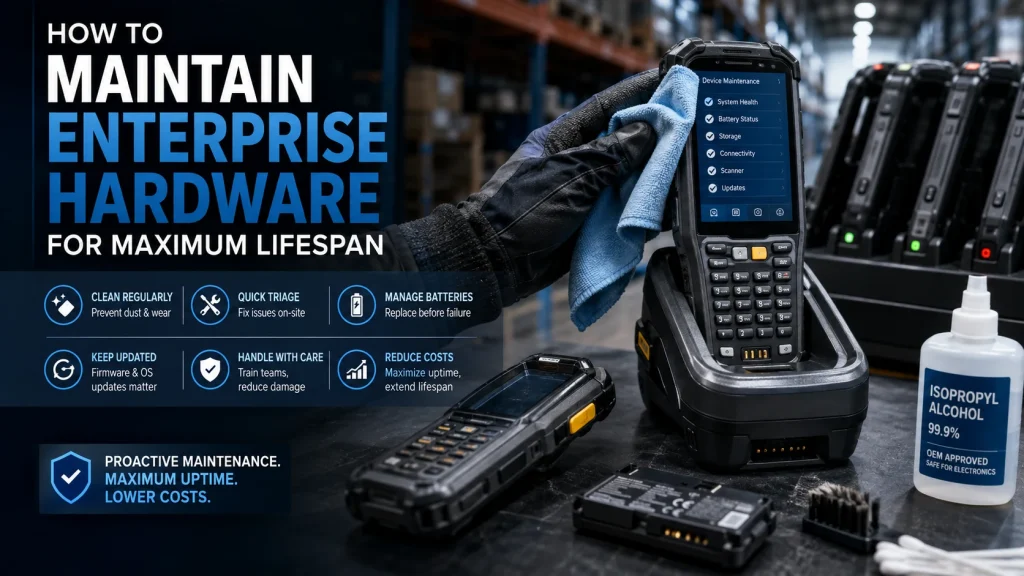
Enterprise hardware gets treated as indestructible. Knocked into by forklifts, drowned in seas of uncounted grains of abrasive dust, dropped from heights not tackled by most consumer tech, and then expected to just keep on processing. Yet, with the right maintenance approach, these devices can last well beyond their expected lifespan.
Physical Cleaning is a Protocol, Not a Suggestion
Dust accumulating on an optical lens and dust and dirt building up on charging contacts are two main causes of mobile computer degradation. And they’re insidious. You don’t notice any degradation when the scanner first gets dusty. Or any change after the first bit of dirt cakes on the charging contacts. But that’s when the issues start.
After a while, the dust and dirt interfere with the charger making contact with the batteries and eventually rubbing the batteries directly. (Few things can degrade a device faster than three directly rubbed alkaline batteries.) The scanner gets the worst of it first – because it’s an exposed moving part. But you’ll find dust eventually infiltrates the case and settles on other parts like the main board as well.
Establish a fixed cleaning schedule using OEM-approved isopropyl alcohol solutions. Clean scanning windows, charging pins, and port covers on a weekly basis for high-use devices. Dates and prices for mobile computer scanners and batteries are easy to find. Repairs, lost productivity, slower scanning and replacement batteries are? Not so much. Old engineer’s aphorism: A pound of prevention is worth a ton of cure.
First-Line Triage That Keeps Devices Out of Repair Depots
Shipping a device to a repair depot for a problem that could have been resolved on-site has two costs: the direct repair cost and the transit risk. Devices get damaged in shipping. They also sit idle, forcing you to either maintain excess inventory or accept reduced fleet capacity.
The fix is a tiered triage system where floor supervisors can resolve common issues without escalation. Software freezes, sensor miscalibrations, connectivity drops – most of these have straightforward diagnostic steps that don’t require technical expertise. According to VDC Research, enterprise mobile device failures can increase TCO by up to 143% over a device’s lifespan when proactive maintenance and rapid troubleshooting protocols aren’t in place.
When handheld devices fail to read barcodes, having accessible troubleshooting tips for Honeywell scanners lets teams resolve common alignment, beam, and connectivity issues directly on the warehouse floor, without waiting for a technician or initiating a depot shipment for a device that was never actually broken.
Battery Management Before the Problem Becomes Visible
Lithium-ion cells degrade whether you use them or not. The question is how fast. “We’ll wait until that product or the forklift starts throwing codes and shutting down” is the wrong threshold – by then, there’s often swelling risk, and you’re reacting to failure rather than preventing it.
Instead, capacity needs to be monitored. Mobile Device Management software will quickly show when a battery has dropped below 80% of its new rated capacity, making it time for replacement. That 80% number isn’t arbitrary – it’s when degradation accelerates and unpredictable performance becomes statistically likely.
In addition, devices stored in freezing cold or sweltering heat, whether on a loading dock or in a vehicle cab overnight, age much faster than those stored in a temperature-controlled environment during off-shifts. Battery degradation from thermal stress is irreversible. A basic storage policy – transfer cradles with ventilation stands for scanners, for example – costs nearly nothing to implement and will add months or years to cell life.
Firmware and OS Updates Are Maintenance, Not IT Housekeeping
Not updating and maintaining the firmware of older hardware poses a risk to security and impacts the device’s overall performance and lifecycle. Devices powered by processors that run poorly optimized code generate more heat while performing demanding tasks. Heat induces thermal throttling, a standard safety measure causing the device to slow down to protect itself. This vicious cycle overly strains a device’s internal components, causing it to wear out more quickly over time.
Achieve long-term efficiencies by maintaining and updating with the latest firmware and OS patches deployed by your MDM solution. Ensure all your endpoints are running the most efficient version of their OS and firmware possible. The more similar devices are in their deployment software, the quicker and more efficient triage is when troubleshooting support issues. Most MDM solutions allow you to schedule patch deployments and updates for times when devices will not be in use.
Staff Handling – The Variable Most IT Plans Ignore
Highly durable devices are sometimes perceived as being resistant to all kinds of damage, often leading employees to be less careful with them. Similarly, just because a device can survive dust and moisture doesn’t mean that micro-fractures aren’t accumulating from careless handling.
The good news is that you don’t need to be an engineer to prevent 90% of all device breakages. The way a device is handled typically does more damage than a solid knock here and there. Remember that time everyone in the warehouse got a shiny new scanner? How many were sent for repair in the first month after they were dropped onto concrete from 4 feet? Highly likely that number is zero and all of them are accumulating invisible damage so that in month 25 one won’t power up and everyone will decide it was “dropped one too many times”.
Maintenance as a CapEx Strategy
Each new enterprise device that must be purchased is capital expenditure. Adding 18 months to the lifetime of each of 200 devices is not an achievement of technology; it is a financial end result. Maintenance, done in a structured way, turns random hardware failure into a predictable operating cost, which is a better starting point for any cost of operations.
The devices that last longest aren’t always the ones with the highest specifications. They’re the ones that get cleaned on schedule, patched regularly, handled with basic discipline, and diagnosed fast when something goes wrong.