
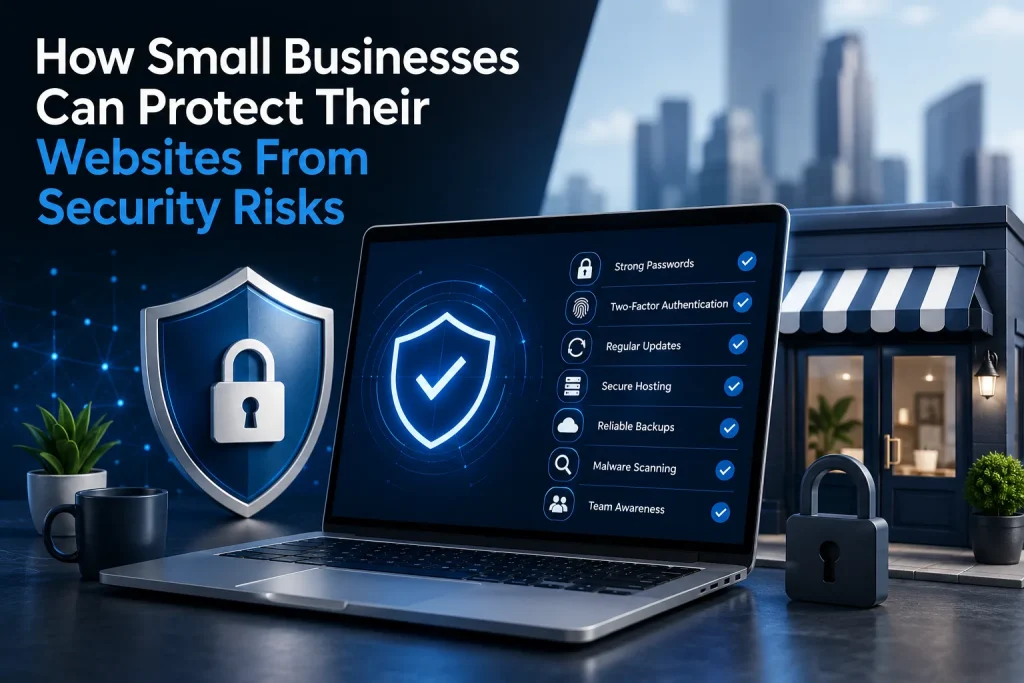
Local business owners and lean teams often run their websites as the always-on front door for bookings, sales, and customer support, yet that same visibility makes them attractive targets. The core tension is simple: modern online business threats move fast, while day-to-day operations leave little time to track website security risks hiding in logins, software, and third-party connections. When a site is compromised, the damage rarely stays technical, lost revenue, interrupted service, and shaken customer confidence follow quickly. Treating cybersecurity importance as a business priority strengthens website data protection and keeps the site dependable.
Use This 7-Step Website Security Starter Checklist
Most small business sites get hit through predictable gaps, reused logins, outdated plugins, weak hosting, and missing backups. This do-today checklist closes the most common attack paths without requiring an enterprise security budget.
- Switch to strong, unique passwords everywhere: Start with your admin logins: website CMS, hosting panel, domain registrar, email, and database. Use long passphrases (16+ characters) and never reuse them across services, credential stuffing relies on reused passwords from other breaches. Remove old accounts and shared logins so every action ties back to a real person.
- Turn on two-factor authentication (2FA) for all privileged access: Enable 2FA for your CMS admin, hosting control panel, domain registrar, and business email first, those are the keys attackers use to take over sites and reset passwords. Require it for anyone who can publish, install plugins, or change DNS records. Keep backup recovery codes in a secure place so you don’t get locked out during an emergency.
- Patch on a schedule, not “when you remember”: Set a weekly 15-minute recurring task to update your CMS core, themes, and plugins, plus your server/runtime version if you manage it. Remove unused plugins and themes entirely, “inactive” still becomes an entry point if the files remain. After updates, do a quick smoke test: homepage, checkout/contact form, login, and any integrations that handle customer data.
- Choose secure web hosting with the right defaults: Confirm your host supports TLS/HTTPS, a web application firewall option, least-privilege user roles, and separate environments for staging vs. live. Limit admin panel access to your team’s IPs when possible and disable insecure protocols. If you’re shopping for a provider, prioritize features like automated backups and clear incident-response support over raw disk space.
- Set up reliable backups you can actually restore: Follow the 3-2-1 approach: three copies, two different locations, one offline or off-account. Back up both files and the database at least daily for active sites (or before/after any major change), and run a monthly restore test to a staging environment. A backup that can’t be restored quickly is just a false sense of security.
- Run routine malware scanning and integrity checks: Schedule automated scans at least weekly, and scan immediately after installing new plugins, adding user accounts, or seeing odd behavior like redirects or slow load times. Pair scanning with basic file-integrity monitoring so you’ll know when key files change unexpectedly. Treat repeated alerts as a signal to reset credentials and review admin activity.
- Train your team on the “small” behaviors attackers exploit: Create a one-page rule set: no password sharing, 2FA required, update requests go through one owner, and suspicious emails get verified before anyone clicks. Keep an access log of who has admin rights and review it monthly. These habits protect revenue and trust by shrinking the window between a problem and a response, and they also help you spot stealthy threats that hide behind pop-ups, injected ads, or unfamiliar browser behavior.
Spot Spyware and Adware Before They Drain Your Site
Spyware is malicious software that runs in the background to secretly collect and transmit user information without permission, and adware can ride along to fuel unwanted ads, fraud, and performance issues that frustrate visitors. Getting familiar with spyware impact basics helps you recognize why these threats are so disruptive, and why speed matters. To reduce exposure, keep your website software updated so known holes don’t stay open, use robust security plugins to help detect and block suspicious activity, and make cybersecurity best practices part of what you and your team routinely learn and follow.
Weekly Website-Security Habits That Stick
Security tools help, but routines keep them working when you are busy. These small, repeatable habits reduce preventable mistakes and help you spot issues early, so protecting your website feels manageable week after week.
Weekly Update and Patch Sweep
- What it is: Review and apply updates for your CMS, themes, plugins, and server packages.
- How often: Weekly.
- Why it helps: It closes known vulnerabilities before attackers can reuse them.
Daily Login Spot Check
- What it is: Scan admin logins for unusual locations, times, or repeated failed attempts.
- How often: Daily.
- Why it helps: You catch credential stuffing and account takeover attempts sooner.
Monthly 3-2-1 Backup Drill
- What it is: Follow the 3-2-1 backup rule and restore one file to test it.
- How often: Monthly.
- Why it helps: Backups that restore cleanly turn disasters into minor inconveniences.
Quarterly Phish-Ready Mini Training
- What it is: Run a 10-minute refresher on links, attachments, and password sharing.
- How often: Quarterly.
- Why it helps: The human element in 60% of data breaches makes habits a real control.
Monthly Vulnerability Scan Review
- What it is: Review your security scan report and fix the top two findings.
- How often: Monthly.
- Why it helps: Regular cleanup prevents small misconfigurations from piling up.
Website Security Questions Small Businesses Ask
Q: What is the safest way to manage passwords without slowing everyone down?
A: Use a password manager so every account gets a long, unique password without relying on memory. Store credentials in shared vaults only for roles that truly need access, and remove access the same day someone changes jobs. Turn on breach alerts and require a master passphrase that is never reused.
Q: How often should we change passwords for our website admin accounts?
A: Change them immediately after any suspicion of compromise, staff changes, or vendor transitions. Otherwise, focus on strength and uniqueness, and rotate high risk accounts (hosting, domain registrar, email) on a set schedule. Frequent forced changes can lead to weaker choices, so pair strong passwords with better controls.
Q: Why is two-factor authentication worth the extra step?
A: Because passwords leak and get reused across the internet, and 24 billion passwords were exposed in 2022. App based codes or security keys can stop many takeovers even when a password is guessed or stolen. Start with admin accounts first, then expand to all staff.
Q: Can I rely on backups if my site gets hacked?
A: Only if you test restores and keep at least one backup copy offsite and separate from your web server. Schedule automatic backups daily for content, and verify you can restore a file or staging site regularly. Keep a clean “known good” backup from before any suspicious activity.
Q: Should I share one admin login with my team to keep things simple?
A: No, shared logins erase accountability and make it hard to remove access safely. Create individual accounts with the least permissions needed, and turn on login notifications. When you need to share access, use a password manager’s sharing feature instead.
Turn Cybersecurity Best Practices Into Ongoing Website Security Habits
Website security is hard because threats and simple mistakes show up between launches, not just during big projects. The right mindset is ongoing website security: follow core cybersecurity best practices, build small business vigilance into daily operations, and rely on continuous monitoring instead of one-time fixes. When that approach becomes routine, issues get caught earlier, downtime drops, and customer trust is easier to protect. Security is a practice, not a project. Pick your next three actions today and put a recurring check-in on the calendar to confirm they’re still working. That steady, proactive threat prevention is what keeps your site resilient as the business grows.