
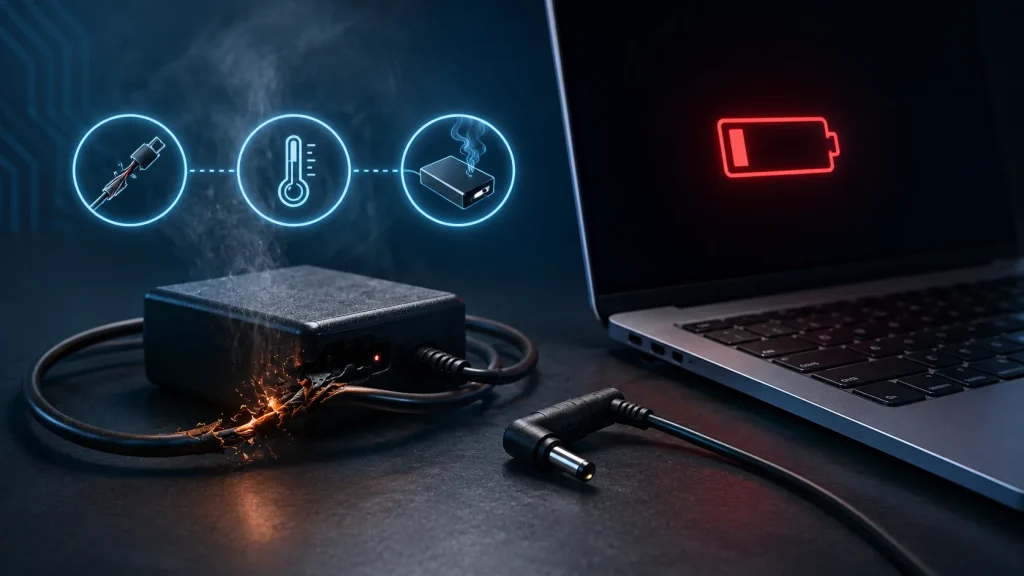
Let’s delve into the scenario where your laptop’s power supply (charger) is acting up and explore potential solutions. While a laptop doesn’t always require a power source to function, once the battery is drained, a power outlet becomes indispensable. When the power supply malfunctions, users are left unable to recharge the laptop battery, rendering the device virtually unusable.
Possible Causes for Power Adapter Failure
Several factors could lead to a non-functional power adapter:
- Burnout: The charger may burn out, indicated by smoke, a distinct odor, and visible case melting.
- Overheating and Strain: Excessive heat and stress can cause the charger to fail.
- Cable or Plug Damage: Mechanical harm to the cable or plug can disrupt the power supply.
These issues can typically be resolved by either repairing or replacing the charger. Opting for a new power supply might be more convenient, especially if the cost of repair is similar to that of a replacement.
Inadequate cable insulation and subpar wiring quality often contribute to cable-related problems. This can lead to breakage and tearing with even minor exertion. Additionally, in extremely cold temperatures, substandard wires tend to deteriorate. Using an original Apple or Toshiba power supply helps mitigate these concerns.
In cases of cable or case damage, the adapter is beyond repair and should be replaced. Attempting a home repair is unreliable, while professional repair services can be costly. Thus, it is advisable to invest in a new power adapter outright. Consider checking various websites for laptop charger prices.
Selecting a New Power Supply
When replacing a burnt or damaged unit, bring the old power adapter along when shopping for a new one. This will aid in making the right choice.
Avoid universal adapters designed to fit multiple laptops; seek an adapter tailored to your specific model or brand. Ideally, aim for the same adapter that originally came with the laptop. If it’s unavailable, prioritize these key specifications when choosing a new power adapter:
- Output Voltage: Should not exceed the value indicated on the laptop cover (measured in volts – e.g., 17V, 19V).
- Output Current: Should match or exceed the value indicated on the laptop. Insufficient output current may result in another power supply failure (measured in amperes – e.g., 4.74A, 3.42A).
- While the laptop also displays input voltage (typically 100-240V) and output power, they are less crucial.
- Additionally, pay attention to the plug type, ensuring it matches the one on the damaged power supply.
Issues with Cable and Connector
If the power supply’s wire is damaged, it’s possible to replace it. However, this task requires training and the correct cable, making it more practical to purchase a new adapter.
Beyond power supply damage, it’s also feasible to harm the connector that inserts into the laptop. This component is delicate and requires careful handling. Depending on the connector type, it may be repairable or necessitate replacement, a task best left to a service center.
The most challenging scenario arises when the motherboard is at fault, not the power supply or connector. This can involve burnt-out transistors or damaged capacitors, a diagnosis best left to a professional.
Testing the Power Supply
Here’s an additional method for pinpointing issues within the power supply unit itself – that enigmatic “black box”. You’ll require a tester (multimeter).
- Plug in the adapter.
- Set the multimeter to DC diagnostics, aligning with the output voltage indicated on the power supply label.
- Insert the red tester pin (positive) into the adapter connector and place the black tester (negative) on the outer metal part of the connector.
- Observe the multimeter reading. A functioning power supply will display the specified output voltage or slightly higher. Readings of 0 or minimal values signal a faulty power supply.
While you could take your laptop directly to a store for testing, simply checking if a new power supply can charge your laptop will confirm if the issue lies with the charger. The most straightforward solution is often to replace the component.