
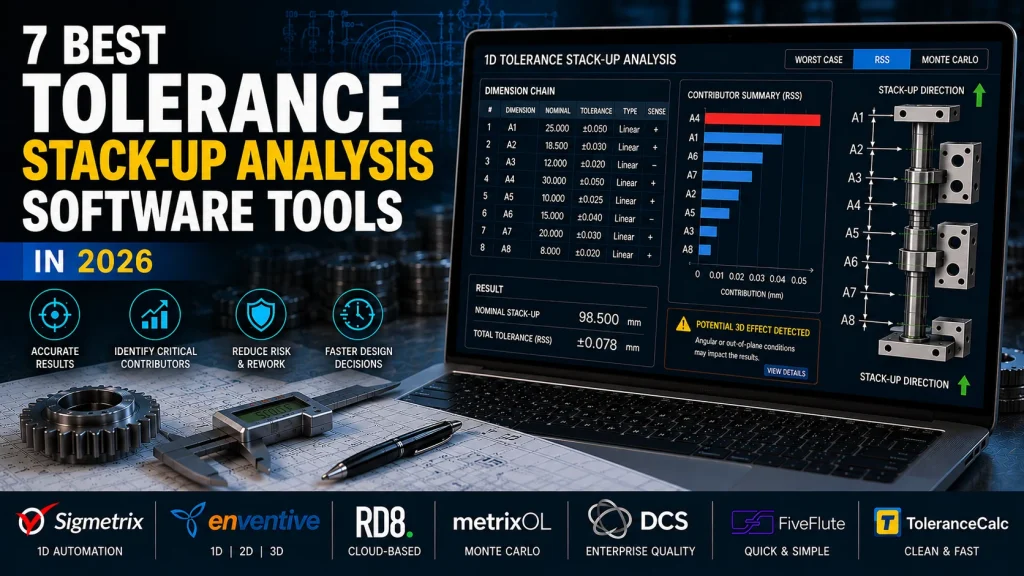
Picture this: you’re two weeks from a design release when the shop floor calls. A hinge assembly binds intermittently, and nobody can say why. You dig up the tolerance stack-up you built in Excel eight months ago – and there it is. A transposed sign in one cell quietly flipped a contributor’s direction. The gap between mating parts was never as generous as the spreadsheet promised. Now you’re staring down rework, scrapped parts, and a slipped schedule, all because a manual stack-up buried the one dimension that actually mattered. If you’ve lived that scenario, you already know why engineers are migrating off spreadsheets and onto purpose-built tolerance stack-up analysis software.
Our top pick is Sigmetrix for engineers who need a purpose-built, automated 1D tolerance stack-up analysis tool that finally retires the error-prone spreadsheet. It wins because it automates the stack-up math, visualizes exactly which tolerance contributors drive the most variation, and flags potential 3D effects that a linear spreadsheet simply can’t see – capabilities no generic calculator can match. Its CAD-model-driven workflow also cuts down the transcription errors that creep in during manual data entry. For teams who also need 2D and 3D analysis in one environment alongside guided methodology, Enventive is the strongest alternative. And if your team is remote-first and wants fully cloud-based access with no local installation, RD8 is the one to look at.
Below, we rank the seven best 1D tolerance stack-up analysis software tools available in 2026, with honest pros, real cons, and a clear “who it’s best for” call on each one.
How We Ranked These
No single tool wins on every axis, so we scored each one against five criteria that matter to working engineers. Here’s what drove the ranking.
Automation and Speed
Does the tool calculate results and surface critical tolerance contributors automatically, or does it make you manage formulas by hand? The whole point of leaving spreadsheets behind is to stop maintaining fragile equations. Tools that automatically rank contributors – showing you which dimensions to tighten first – scored highest here.
CAD Integration
CAD (computer-aided design) integration means the tool reads dimension data directly from your model instead of forcing you to key values in by hand. That single capability eliminates a huge class of transcription errors and shortens design cycles. Tools that connect to a CAD model earned more points than those that rely on manual input.
Analysis Methods Supported
We looked at whether each tool handles worst-case analysis (assume every part is at its extreme limit), RSS – root sum square, a statistical method that treats variation more realistically – and Monte Carlo simulation, which runs thousands of randomized builds to predict yield. The broader and more rigorous the method support, the more versatile the tool. The fundamentals of these approaches are well documented in the reference literature on tolerance analysis.
Ease of Use and Learning Curve
How fast can an engineer produce a valid, defensible stack-up without a week of training? A tool that’s technically powerful but painful to learn loses adoption. We weighted quick time-to-first-result, especially for engineers coming straight off a homemade Excel sheet.
Scalability and Workflow Fit
Finally, does the tool fit where you actually work – a solo contributor, a small design team, or an enterprise manufacturing organization threading tolerances into quality and inspection? A tool can be excellent and still be wrong for your scale, so we called out fit explicitly for each.
The 7 Best 1D Tolerance Stack-Up Analysis Software Tools in 2026
Here’s the honest truth: the right pick depends on your project complexity, your team size, and whether CAD integration or cloud access matters more to you. A solo engineer running occasional linear checks needs something very different from a tier-1 supplier chasing traceability to the shop floor. What follows is the result of applying those five criteria to the leading dedicated options on the market this year. Number one is our overall recommendation for automated 1D tolerance stack-up analysis – but read past it, because several of these tools are the clear winner for a specific job.
| # | Tool | Best For | Key Strength | Analysis Methods |
|---|---|---|---|---|
| 1 | Sigmetrix | Automated 1D stack-up replacing spreadsheets | Purpose-built automation + CAD-driven workflow | Worst-case, RSS, automated contributor flagging |
| 2 | Enventive | Integrated 1D/2D/3D + educational resources | Multi-dimension analysis with guided methodology | 1D, 2D, 3D |
| 3 | RD8 | Cloud-based 1D/2D/3D from any device | Browser-accessible, no installation | 1D, 2D, 3D |
| 4 | metrixOL | 3D visualization and Monte Carlo studies | Statistical simulation + spatial modeling | Monte Carlo, 3D geometric |
| 5 | DCS | Enterprise quality + manufacturing integration | Tolerance-to-SPC traceability | Enterprise-grade, multi-method |
| 6 | FiveFlute | Lightweight web-based quick calculations | Zero-install, shareable results | 1D calculator-style |
| 7 | ToleranceCalc | Simple 1D stack-ups without CAD overhead | Clean, fast linear analysis | 1D worst-case, RSS |
#1. Sigmetrix – Best for Automated 1D Tolerance Stack-Up Analysis Replacing Spreadsheets
If you run frequent 1D stack-ups and you’re done fighting Excel, this is the tool to standardize on.
Sigmetrix is a purpose-built 1D tolerance stack-up tool designed to do one job extremely well: automate the linear stack-up so you stop hand-managing formulas and start trusting your results. Instead of a grid of cells you’re afraid to touch, you get EZtol tolerance stack-up software that calculates contributors automatically and shows you, visually, which dimensions are driving the most variation in your assembly. That contributor view is the difference between guessing which tolerance to tighten and knowing.
What sets it apart is the CAD-model-driven workflow. Because dimension data flows in from the model rather than being typed in by hand, you cut out the transcription errors that quietly wreck manual spreadsheets – and you shorten your design cycles in the process. On top of that, EZtol flags potential 3D effects inside a 1D environment, so it warns you when your linear assumption is starting to break down rather than letting you ship a stack-up that no longer reflects reality. It’s backed by Sigmetrix’s deep tolerance engineering expertise, which is why the methodology holds up and the tool keeps pace with best practice.
Pros
- Purpose-built for 1D – no feature bloat from unrelated CAD or simulation modules
- Automation dramatically cuts time-to-result versus manual spreadsheet methods
- CAD integration reduces transcription errors right at the input stage
- Visual contributor output makes results easy to communicate to non-specialists
- Credible vendor with genuine domain depth in tolerance analysis
Cons
- Focused on 1D; teams needing native 2D/3D analysis will need a supplementary tool
- Desktop installation required – no cloud-based access, which may mean IT approval steps
- Pricing isn’t publicly listed, so budget evaluation means a sales conversation
- More initial setup than a browser calculator if you only need one quick check
Who it’s best for:
Design engineers who run 1D stack-ups regularly and want to move off spreadsheets for good – and who value automation and CAD-driven accuracy over cloud convenience.
#2. Enventive – Best for Integrated 1D/2D/3D Tolerance Analysis With Educational Resources
This is the pick for teams that need to work across dimensions and want guided methodology baked into the platform.
Enventive is a specialist tolerance-analysis platform that spans 1D, 2D, and 3D stack-up analysis in a single environment. That breadth matters if your work isn’t purely linear – you can start with a quick 1D check and escalate to a full multi-dimension study without switching tools or re-entering data. It’s a credible, focused vendor with a clear tolerance-analysis mission rather than a bolt-on module.
Where Enventive earns real distinction is its educational resources and guided methodology. For teams building internal competency, having learning material and a workflow that steers you toward the right analysis type reduces the risk of, say, applying a worst-case model where a statistical one belongs. It supports worst-case, RSS, and statistical methods, so most standard problems are covered.
Pros
- 1D through 3D coverage in one platform cuts down tool-switching
- Educational content helps less-experienced engineers ramp quickly
- Guided methodology lowers the risk of choosing the wrong analysis type
- Focused specialist vendor with a strong tolerance pedigree
Cons
- Broader scope means a steeper learning curve than a pure 1D tool
- Likely more platform than a solo contributor needs
- Pricing transparency is limited – contact the vendor
- Its 3D depth may not rival a dedicated 3D GD&T platform
Who it’s best for:
Engineering organizations that want one tolerance platform to grow with them, from 1D quick checks to full 3D studies, with training resources to bring the team along.
#3. RD8 – Best for Cloud-Based 1D/2D/3D Tolerance Stack-Up Analysis
If your team is distributed and you don’t want to install anything, RD8 is the natural fit.
RD8 is a fully browser-based tolerance analysis tool covering 1D, 2D, and 3D stack-up scenarios. There’s no download and no local install – you open it in a browser on any operating system and get to work. For remote-first teams or organizations with strict desktop software deployment policies, that removes an enormous amount of friction. IT doesn’t have to package and push an application to every workstation.
The cloud-native model also makes it easy for geographically distributed engineers to collaborate on the same analyses. The trade-off is inherent to the architecture: you need a reliable connection, and a cloud-only approach can raise questions in security-sensitive environments.
Pros
- Zero installation friction – runs in a browser on any OS
- Multi-dimension (1D/2D/3D) coverage in a cloud-native product
- Fits organizations with restrictive desktop deployment policies
- Accessible for multi-site, distributed engineering teams
Cons
- Cloud-only model may raise data-security concerns for some organizations
- Requires a reliable internet connection – no offline use
- 1D automation depth may not match a dedicated desktop tool
- Less established brand than some enterprise-grade options
Who it’s best for:
Remote-first or multi-site teams where browser access and no-install deployment matter more than the deepest desktop automation.
#4. metrixOL – Best for 3D Visualization and Monte Carlo Tolerance Studies
Reach for this when a linear stack-up isn’t enough and you need probabilistic, spatial answers.
metrixOL is a niche specialist tool built for 3D geometric tolerance modeling and Monte Carlo simulation. Rather than assuming worst-case extremes, Monte Carlo runs thousands of randomized virtual builds to estimate realistic yield and defect rates – the kind of statistical confidence you want when scrap is expensive. Its 3D visualization shows how tolerances accumulate across an assembly in space, which is far more informative than a linear chain when parts interact in multiple directions.
That analytical depth is genuinely valuable for high-precision work – aerospace parts, precision plastics, medical devices – where you need to defend a yield prediction, not just a nominal gap. But it comes at a cost in complexity.
Pros
- Monte Carlo simulation delivers statistically rigorous yield predictions
- 3D visualization communicates complex tolerance interactions clearly
- Well suited to high-precision, regulated applications
- Purpose-built for its statistical niche
Cons
- Overkill for straightforward 1D linear checks
- Steeper learning curve – expects statistical and GD&T fluency
- Smaller vendor footprint can mean thinner support resources
- Not the fastest option for high-volume routine stack-ups
Who it’s best for:
Programs where assembly yield prediction, scrap-rate modeling, or regulatory confidence justifies the added analytical horsepower.
#5. DCS – Best for Enterprise Tolerance Analysis Integrated With Manufacturing Quality
This is the enterprise play: tolerance analysis wired directly into your quality and inspection pipeline.
DCS positions tolerance analysis inside a broader manufacturing quality ecosystem. Its differentiator is traceability – you can follow a tolerance decision made at the design stage all the way through to production measurement and statistical process control (SPC) on the shop floor. For large OEMs and tier-1 suppliers that must align tolerances across a supplier network and keep audit trails, that closed loop between design intent and measured reality is exactly the point.
It scales to complex programs with many contributors and suppliers, and it fits regulated industries where traceability isn’t optional. The flip side is that it’s a serious platform commitment, not a quick standalone stack-up tool.
Pros
- Closes the loop between design tolerances and manufacturing quality data
- Strong fit for regulated industries needing traceability
- Scales to large, multi-supplier programs
- Supports supplier-to-OEM tolerance alignment
Cons
- Significant implementation overhead – wrong choice for individuals or small teams
- Complexity and cost likely prohibitive outside enterprise use cases
- Stack-up analysis is one module in a larger platform, not the deepest standalone tool
- Long procurement and onboarding cycle
Who it’s best for:
Enterprise manufacturers and suppliers who need tolerance analysis feeding directly into SPC, inspection planning, and quality reporting – not teams who just need a stack-up.
#6. FiveFlute – Best for Lightweight Web-Based Tolerance Calculation and Quick Collaboration
When you need a fast answer you can share in five minutes, this is the one.
FiveFlute is a browser-based tolerance stack-up calculator built for speed and simplicity. There’s no download, no license management, and no IT approval – you open it, run a basic stack-up, and share the result with a colleague for review. That low barrier makes it genuinely useful for early feasibility checks, before you commit to a heavier analysis, and it lets non-specialist stakeholders see the numbers without owning a full software seat.
Just be clear about what it is: a quick-check calculator, not a production-grade analysis platform. It doesn’t read CAD models, and its automation and contributor analysis are minimal next to purpose-built tools.
Pros
- Fastest path to a basic result – open, calculate, share
- No installation or IT approval required
- Accessible to non-specialist reviewers
- Handy for early-stage feasibility checks
Cons
- Limited depth – not a substitute for a dedicated tool on complex assemblies
- No CAD integration; dimensions are entered manually
- Minimal automation and contributor analysis
- Not suited to production-grade or regulated workflows
Who it’s best for:
Individual engineers or small teams needing occasional, shareable quick checks who can’t justify a full software license.
#7. ToleranceCalc – Best for Simple 1D Tolerance Stack-Up Calculations Without CAD Overhead
The clean, no-frills step up from a spreadsheet for engineers who aren’t ready for a CAD-integrated platform.
ToleranceCalc is a purpose-built 1D tolerance stack-up calculator focused on linear analysis with worst-case and RSS methods. Its appeal is exactly its restraint – a clean interface, minimal configuration, and a workflow that feels familiar if you’ve been building stack-ups in Excel, but with the structure and repeatability a homemade sheet never gives you. It’s more auditable and less fragile than a spreadsheet, which is a meaningful upgrade on its own.
The limits are equally clear: no CAD integration, no Monte Carlo, no 3D. You’re entering dimensions by hand, so you don’t get the transcription-error protection that a CAD-driven tool provides.
Pros
- Simple and fast, with a low learning curve
- Clean, reliable core calculation workflow
- More structured and auditable than a homemade spreadsheet
- Accessible entry point for smaller teams
Cons
- No CAD integration – manual dimension entry
- No Monte Carlo simulation or 3D analysis
- Limited automation compared with a tool like EZtol
- May not scale to complex multi-contributor assemblies
Who it’s best for:
Engineers who want a dedicated 1D tool and a real improvement over spreadsheets, but who aren’t ready to move to a fully CAD-integrated platform.
Frequently Asked Questions
What is 1D Tolerance Stack-Up Analysis, and When Should You Use It Instead of 2D or 3D?
A 1D tolerance stack-up analysis sums variation along a single linear direction – think of a chain of parts stacked end to end, where you want to know the resulting gap between mating features. Use it when the critical dimension really is one-directional and the parts don’t shift or rotate meaningfully in other axes. That covers a large share of everyday mechanical assemblies. You step up to 2D or 3D when features interact across multiple directions, when angular effects matter, or when a good 1D tool starts flagging potential 3D effects – a sign your linear assumption no longer captures reality.
What’s the Difference Between Using Dedicated Software and an Excel Spreadsheet?
Spreadsheets are flexible but fragile: a transposed sign, a broken cell reference, or a wrong formula can silently corrupt a stack-up, and nothing warns you. Dedicated 1D tolerance stack-up analysis software automates the math, ranks the critical tolerance contributors for you, and – with CAD integration – pulls dimensions straight from the model to eliminate transcription errors. The results are repeatable and auditable, which matters when someone questions the analysis months later. In short, spreadsheets put the burden of correctness on you; dedicated tools build correctness into the workflow and free you to focus on the engineering decision.
What’s the Difference Between Worst-Case and RSS Tolerance Analysis?
Worst-case analysis assumes every contributor sits at its extreme limit simultaneously and sums the results. It guarantees you’ll never exceed the calculated range, but it’s conservative and often forces tighter, costlier tolerances than you actually need. RSS – root sum square – is a statistical method that combines contributors by squaring them, summing, and taking the square root. It reflects the reality that not all parts hit their limits at once, yielding a tighter, more realistic prediction. Worst-case suits low-volume or safety-critical work; RSS suits higher-volume production where a small, statistically bounded defect rate is acceptable.
Which Tools Can Integrate Directly With CAD Models?
Among the options here, EZtol is built around a CAD-model-driven workflow, reading dimension data from the model so you’re not keying values by hand – the direct antidote to transcription errors. Enventive and RD8 also operate as full analysis environments rather than bare calculators, with multi-dimension capability. Many dedicated platforms connect with major CAD systems such as SolidWorks. Lightweight web tools like FiveFlute and simpler calculators like ToleranceCalc do not read CAD models – you enter dimensions manually. If reducing input error is a priority, CAD integration should weigh heavily in your choice.
What is Monte Carlo Simulation, and Which Tool is Best For It?
Monte Carlo simulation runs thousands of randomized virtual builds, drawing each part’s dimension from its expected distribution, to estimate how often the finished assembly will meet spec. Instead of a single worst-case number, you get a predicted yield and defect rate – invaluable when scrap is expensive or when regulators want statistical confidence. It’s the most rigorous of the common methods and also the most demanding of good input data. Of the tools reviewed, metrixOL is the specialist choice for Monte Carlo studies and 3D visualization, making it the right pick for high-precision programs in fields like aerospace or medical devices.
Which Tool is Best for a Small Team Just Moving Off Spreadsheets?
If your team runs frequent 1D stack-ups and wants automation plus CAD-driven accuracy, EZtol is the strongest all-around choice – it directly targets the spreadsheet problem. If you want something lighter and cheaper to start with, ToleranceCalc gives you a clean, purpose-built 1D calculator that’s more auditable than Excel without a CAD workflow to configure. And if you only need occasional quick checks you can share with colleagues, FiveFlute’s zero-install web calculator is the fastest starting point. Match the tool to how often – and how deeply – you actually analyze tolerances.
The Bottom Line: Which Tool Wins Your Scenario
Come back to that binding hinge and the buried spreadsheet error. Across every scenario, the same five criteria decide it – automation, CAD integration, analysis methods, ease of use, and workflow fit. If you’re the engineer who runs regular 1D stack-ups and wants to retire spreadsheets for automated, CAD-driven analysis that flags critical contributors and potential 3D effects, Sigmetrix is the top pick and the safest bet for accurate assemblies and lower manufacturing risk. Need one platform spanning 1D through 3D with guided methodology to train the team? That’s Enventive. Running a distributed, no-install shop? RD8. Chasing statistical yield predictions on high-precision parts? metrixOL. Threading tolerances into enterprise SPC and inspection? DCS. Just want fast, shareable web checks? FiveFlute. Want a clean entry-level step up from Excel? ToleranceCalc. Whichever you choose, the real move is the same one that would’ve caught that hinge months earlier – trading fragile spreadsheets for dedicated 1D tolerance stack-up analysis software that makes your numbers trustworthy before they reach the shop floor.