
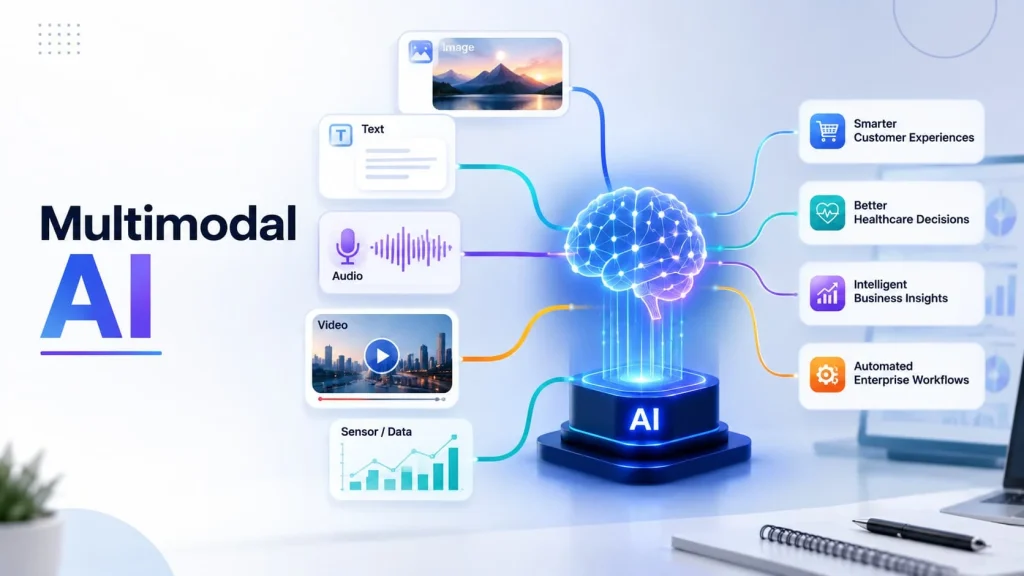
Most AI tools still read one thing at a time. Text or images. Not both. Multimodal AI changes that rule.
It reads text, sees images, hears audio, and watches video. All at once. This is a big shift for business software.
What Does “Multimodal” Actually Mean?
Think about how you understand a video call. You hear words. You see faces. You read the chat box too.
Your brain mixes all three. That mix gives you the full picture. Multimodal AI copies this exact idea.
Old AI tools were narrow. A photo app only saw pixels. A chatbot only read words. Neither understood the other’s data.
Multimodal models break that wall down. One system now handles a photo, a voice note, and a report together.
How is Multimodal AI Different From a Regular Chatbot?
A regular chatbot waits for typed text. Nothing else. Show it a picture, and it fails completely.
A multimodal system takes a photo of a broken part. It reads the serial number on it. It listens to your voice description too.
Then it writes a repair ticket. Three data types. One single output. That is the real difference here.
IBM’s research notes that multimodal systems handle noise better than single-format tools. If one input is unclear, another one fills the gap.
Why Businesses Are Rushing Toward It?
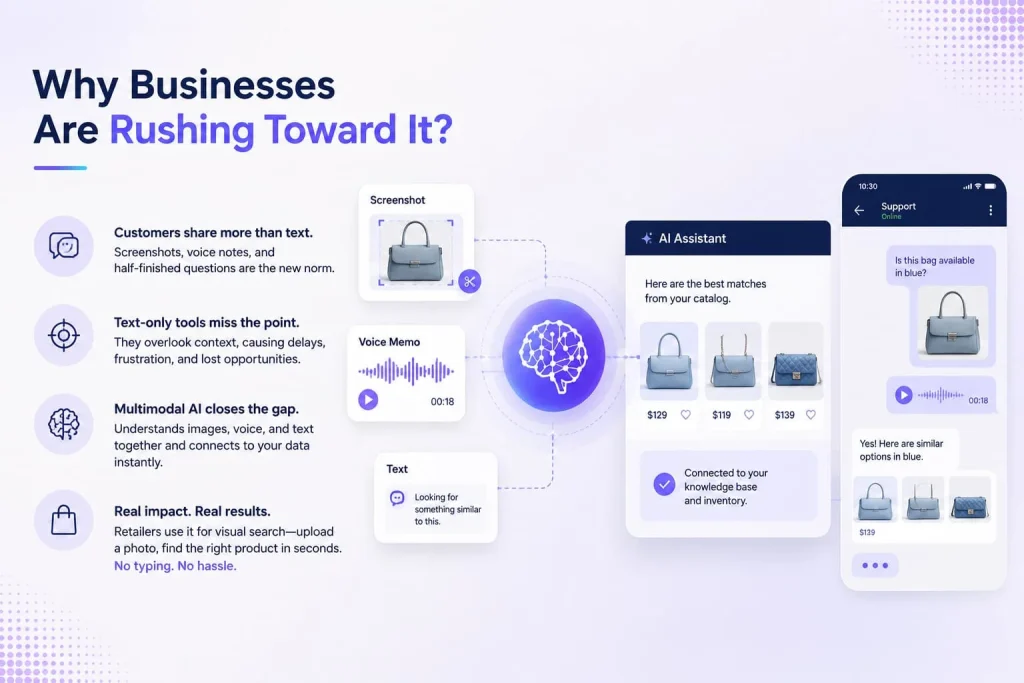
Here’s the honest reason. Customers do not send clean text queries anymore. They send screenshots. Voice memos. Half-finished sentences with a photo attached.
A support agent tool that only reads text misses half of what customers are actually saying. That gap costs real money and real time.
Multimodal AI tools close that gap directly. They read the screenshot. They transcribe the voice note. They connect both to your knowledge base instantly.
Retailers use this for product search. A shopper uploads a photo of a jacket. The system finds matching items in seconds, no typed keywords needed.
Real Business Applications Already Running Today
Let’s get specific. Vague claims help nobody here. These are live use cases, not future promises.
Customer support desks
Support platforms now scan attached screenshots automatically. They pair the image with the customer’s written complaint. Agents get context in seconds, not minutes.
Insurance claims
An adjuster uploads photos of car damage. The model estimates repair cost from the images. It cross-checks that estimate against the written claim form.
Manufacturing quality checks
Cameras on the line spot defects visually. The system logs defect type as text. Reports get generated without a single human typing.
Healthcare documentation
Doctors dictate notes by voice during exams. The system converts speech to text. It links that text to scan images automatically, in the same patient file.
Retail and e-commerce
Shoppers snap a photo instead of typing. The engine matches colors, patterns, and shapes. Search results appear without any keyword typing.
| Industry | Data Types Combined | Business Outcome |
|---|---|---|
| Retail | Image + text | Faster product discovery |
| Insurance | Image + form data | Quicker claim approval |
| Healthcare | Voice + scans | Cleaner patient records |
| Manufacturing | Video + sensor logs | Fewer missed defects |
| Support | Screenshot + chat text | Shorter resolution time |
The Tech Stack Behind It, Explained Simply
You don’t need a PhD to follow this part. Three layers make multimodal AI work.
Layer one: input encoders. Each data type gets its own reader. One for text. One for images. One for audio.
Layer two: fusion layer. This layer blends the separate readings together. It finds links between a spoken word and a matching picture.
Layer three: output generator. This layer writes the final answer. A ticket, a summary, or a spoken reply comes out here.
Google Cloud explains that models like Gemini can receive a photo and return a written response, or the reverse. That flow runs through these same three layers.
How Companies Are Actually Building This In?
Nobody builds a multimodal model from scratch alone. That takes huge compute and huge data. Most businesses take a shorter path instead.
They plug into existing multimodal APIs. Then they attach company data on top. This is where many teams bring in outside custom AI development services to handle the heavy lifting.
Here’s a rough build pattern most teams follow:
- Pick a base multimodal model with an API
- Feed it company documents, images, and call logs
- Build a fusion layer for your specific data mix
- Add guardrails so outputs stay accurate and safe
- Test with real customer data before full rollout
Some businesses go one step further. They connect multimodal understanding to autonomous actions. This is where AI agent development enters the picture, letting a system not just see and hear, but also act on what it understands, like filing a claim or updating a record without a human clicking anything.
What Makes This Hard, Honestly?
It’s not all smooth. Multimodal systems need far more data than text-only ones. Images and audio both eat storage fast.
Accuracy also drops when inputs conflict. A photo might say one thing. A written note might say another. The system has to pick a side.
Cost is another real issue. Processing video and audio costs more than processing plain text. Smaller teams feel this cost quickly.
Privacy adds pressure too. Photos and voice recordings often hold more personal detail than plain text ever does. Compliance teams get busy fast.
A Quick Comparison: Unimodal vs Multimodal
| Feature | Unimodal AI | Multimodal AI |
|---|---|---|
| Data types read | One | Many |
| Context awareness | Limited | Higher |
| Setup complexity | Simple | Harder |
| Storage needs | Lower | Higher |
| Best for | Narrow tasks | Rich, mixed tasks |
Where This is Heading Next?
Voice and video will keep growing inside business tools. Text-only interfaces already feel outdated to many users.
Expect more agents that see, hear, and act. Not just chat replies. Real actions, taken from mixed inputs, without a human typing every step.
Small and mid-size companies will feel this shift too. APIs keep getting cheaper. That makes multimodal features reachable for smaller budgets, not just big tech firms.
Common Questions Teams Ask Before Building
Does this replace our current chatbot?
Not always. Many teams add multimodal features on top of what they already run.
How long does a pilot take?
Small pilots often run in weeks. Full rollout across departments takes longer, usually months.
Do we need our own data scientists?
Not always required. Many APIs handle the model work. Your team focuses on data and use cases.
Is this only for big enterprises?
No. Smaller teams now use the same APIs big firms use. Pricing keeps dropping every year.
Final Thought
Multimodal AI is not a buzzword anymore. It is showing up in support tickets, insurance claims, and factory floors right now.
The businesses moving early are the ones combining data types well. Text, image, and voice, working as one system, not three separate tools.
That is the real shift happening in business software today.